
Robust Security, Easy Management
Reduced Nginx complexity, maximized security.
SSL Automation
Supports Let's Encrypt integration and auto-renewal. Easily issue wildcard certificates with DNS-01 challenge.
Powerful Bot Protection
Automatically block over 80 types of malicious bots and 50+ AI bots to protect server resources.
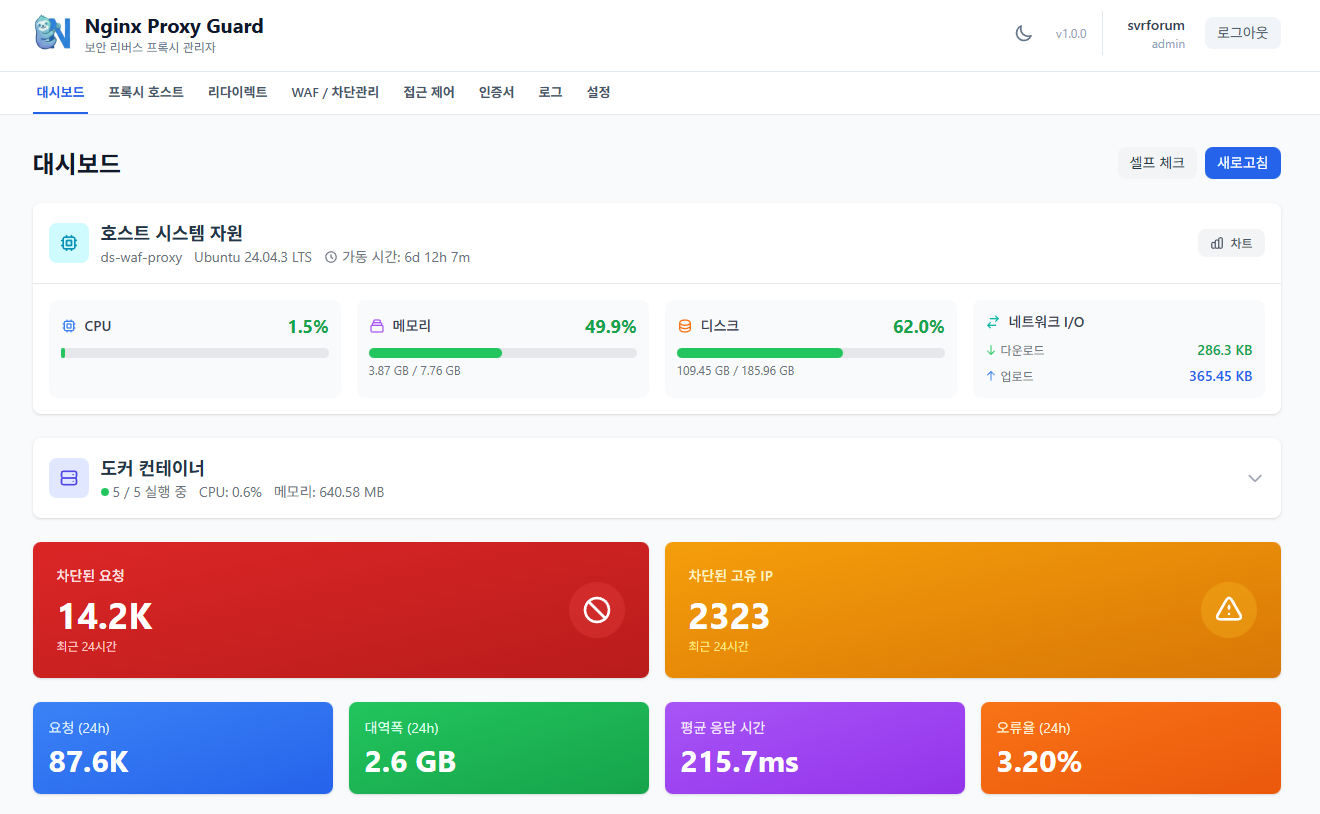
Intuitive Dashboard
Modern UI providing real-time traffic, block logs, and server status at a glance.
GeoIP Access Control
Allow or block traffic by country. Visualize data with interactive maps.
Log Viewer & Analytics
Analyze Nginx access and error logs with advanced filtering and set exclusion patterns.
Solid Tech Stack
Designed with modern technologies, a microservices architecture that captures both stability and scalability.
Nginx
High-performance web server and reverse proxy core. Supports HTTP/3 and QUIC to ensure stable traffic processing.
PostgreSQL
Relational database for securely storing configuration and log data. Optimized for complex queries and large data volumes.
Redis (Valkey)
In-memory data store for high-speed caching and session management. Supports fast response times and real-time data processing.
Go (Golang)
Powerful and fast backend API server. Provides efficient resource management with concurrency and low memory usage.
React & TypeScript
Modern and intuitive user interface. Increased maintainability with type safety and component-based design.
ModSecurity
Web Application Firewall (WAF) engine. Blocks common web attacks based on OWASP Core Rule Set (CRS).
Get Started Now
Launch Nginx Guard in 1 minute using Docker Compose. Build a secure web service immediately without complex configuration.
Prepare server with Docker installed
Create docker-compose.yml file
Run docker-compose up -d