
Changelog
What changed in each release. The same notes are published on GitHub Releases. To update, run docker compose pull and then docker compose up -d in the install folder.
Some older release notes exist in Korean only.
v2.72.9
Fixes
- On a host using the geo challenge or ForwardAuth, an upload larger than the global "max request size" was refused with 401 (Geo Block). This happened even when the host's own "client max body size" was larger and the visitor was never challenged. Uploads now go through up to the host's limit. (#402, #404)
v2.72.8
Fixes
- A 403 returned by the site itself showed in the logs as a bot-filter block, so a site answering Google's ad crawler with 403 looked as if NPG had blocked it. Only requests NPG blocks itself are labelled bot filter now.
- Saving the bot lists under Settings → Bot Filter did not reach nginx right away. Saving now applies them to every host. Lists changed on an earlier version are applied when you upgrade.
v2.72.7
Fixes
- The global Fail2ban jail could not be switched on while Trusted Proxies was empty. A server that visitors reach directly, with no CDN or proxy in front, can now switch it on by ticking a box that confirms this. Behind a CDN, set Trusted Proxies first as before. (#400)
- The English UI wrote dates in US order (11/18/2026), which reads as day/month in most other countries. Dates are now written year first, like 2026-11-18. The Korean UI is unchanged. (#401)
v2.72.6
Fixes
- The dashboard charts, the traffic graphs, a banned IP's recent connections and other screens showed AM/PM times in the English UI. Every time in the UI is now on a 24-hour clock, with the date still in the UI language. (#399)
v2.72.5
Fixes
- The check on where to send a visitor after passing a CAPTCHA challenge had a gap, so a crafted challenge link could send them to another site. Addresses on a different host now go to the site root (
/) instead.
v2.72.4
Fixes
- Pressing Esc, × or Cancel while filling in the proxy host form closed it without asking, losing what you typed. It now asks first when something changed.
- A failed delete, enable/disable or favorite on a proxy host showed nothing. The reason now appears above the list, and a list that fails to load offers a Retry button.
- On a phone-width screen, Traffic, Logs and Settings in the top menu were hidden off screen. The menu now wraps to two lines.
- At 200% browser zoom, the host form's Save button was pushed off screen.
Improvements
- Dashboard tiles, grey secondary text and rows of disabled hosts are easier to read.
- Login, the dashboard, the host list and the host form work with a keyboard and a screen reader.
- Backend health and WAF mode (blocking/detection) are shown in words, not by color alone.
- English text and raw bot categories (
other,bad_bot, …) left in the Korean UI are translated.
v2.72.3
Fixes
- On a host caching "static files only", a static file requested with a query string (
app.js?v=3) was never cached. A page whose query happened to end in an extension (/?next=a.js) was cached; it no longer is. - Paths that look like a static file but may be answered with a page, such as
/account.php/x.cssor/account;.js, are left out of the "static files only" cache. - Responses to requests carrying an
Authorizationheader are not stored in the cache. They used to be stored and could be served to the next request without the header. - With caching on and proxy buffering off, nginx stores nothing. The host form now warns about this.
Improvements
- nginx spends less CPU checking security rules.
- The proxy cache keeps an entry for 7 days after its last use (was 60 minutes). The cache may use more disk. The cap is still 10 GB, and the cache is cleared first when less than 1 GB of disk is free.
v2.72.2
Fixes
- On a host registered with a wildcard (
*.example.com) or a domain containing capital letters, disabling a rule for "this host only" from the log detail failed with "Proxy host not found for domain". Blocking a URI from the log detail failed for the same reason. Both now work.
v2.72.1
Fixes
- Picking a ban type (auto, manual, WAF, Fail2ban, Rate Limit) in the banned IP list filtered only the page already loaded, while the page count still covered every type. The list, the counts and the pages now follow the type you pick, and "Unban all" removes only that type. (#394)
v2.72.0
New features
- TCP/UDP stream hosts' connections now show in Logs → Stream: client IP, protocol, status, bytes sent, session time and backend. The raw stream log sits next to the access log (
/etc/nginx/logs/stream_raw.log) and follows the same retention and rotation. A busy host (UDP, for one) can be left out in Logs → Collection rules. Traffic and dashboard statistics don't include them yet. (#392)
Changes
- WAF rule 941310 (US-ASCII Malformed Encoding XSS Filter) is now off by default. It mistook posts that mix HTML tags with Korean, Japanese, Chinese, Russian, German and similar text (blog and forum posts) for attacks, blocking them or getting the author's IP auto-banned. The attack it stops only ever worked on old Internet Explorer. You can turn it back on in the rule list under WAF / Blocking → WAF Policy Settings → Global Policies, and that choice is kept across upgrades.
v2.71.1
Security update — upgrade now
nginx is now 1.30.7. Vulnerabilities allowing remote code execution in nginx up to 1.30.6 have been published (nginx2root). NPG always turns on HTTP/2 for SSL hosts, so an install with even one SSL host can be attacked without logging in. Hosts with HTTP/3 on are affected too.
- HTTP/2: CVE-2026-123007, CVE-2026-123633
- HTTP/3: CVE-2026-121810
- The other security fixes in nginx 1.30.7 (resolver, an endless loop reading request bodies over SSL, alias/try_files, stream) come along.
The published attack chains these with a Linux kernel SCTP flaw to get root on the server, outside the container. Until your kernel is patched, block SCTP on the host if you don't use it. If it is already loaded (lsmod | grep sctp), it takes a reboot.
echo "install sctp /bin/false" | sudo tee /etc/modprobe.d/disable-sctp.confv2.71.0
New features
- Access lists can hold usernames and passwords (basic auth). Hosts using the list ask for them. With "Satisfy Any" on, an IP the list allows gets in without a password; with it off, both the IP and the password must match. A host with ForwardAuth cannot use such a list, and the GeoIP and cloud provider challenges of the hosts using one block instead. (#387)
- Settings → Error Pages replaces NPG's block page (403) and backend error pages (502, 503, 504) with your own HTML, on every host. For security, scripts do not run on these pages. (#335)
Fixes
- A visitor an access list refused got nginx's plain 403 page instead of NPG's block page.
- The log detail showed an exploit block rule only by its ID, not its name. (#390)
v2.70.0
Installs without Valkey: API and sign-in rate limits now apply after upgrading
If you run NPG without Valkey (REDIS_URL empty), the per-minute API and sign-in limits never took effect until now. From this version the API keeps its caches and counters in its own memory when Valkey is absent, so each client IP gets 600 API requests and 100 sign-in attempts per minute. Installs that use Valkey (the default setup) see no change. (#385)
- If the admin panel shows 429 (Too Many Requests), raise
API_RATE_LIMIT_PER_MINUTEor set it to0to turn the limit off. Sign-in has its ownAUTH_RATE_LIMIT_PER_MINUTE. - If you set
TRUSTED_PROXY_CIDR, make sure it includes the proxy in front of the admin panel. Without it, every visitor is counted as that one proxy and they share a single limit. - All three are api environment variables in
docker-compose.yml. If your compose file predates them, add the lines from the current docker-compose.yml.
New features
- Global Fail2ban has a "Never ban local network addresses" switch. When on, no jail bans private or link-local addresses. It is off by default. (#384)
- Infomaniak is available as a DDNS provider. It is DDNS only, so it cannot be picked for certificates. (#382)
- OVHcloud is available as a DNS challenge provider for certificates. (#388)
- The log detail shows the host and the port the request arrived on. The port appears for requests logged after the upgrade. (#389)
- Installs without Valkey now cache too. (#385)
Fixes
- The log detail always showed "-" for protocol, referer, city, ASN, and the WAF rule severity and attack type. (#389)
- Log entries from local addresses showed a broken flag next to the country.
v2.69.3
Improvements
- The dashboard's Top IPs card has a "Show local" checkbox. When on, loopback, Docker network and private range addresses are listed too, marked "local". It is off by default, so the card looks as before, and the browser remembers the choice. (#380)
v2.69.2
Security
- WAF logs stored login passwords, tokens and cookie values as sent. When a WAF rule fired on a request such as a login form, the value stayed for as long as WAF logs are kept.
- New WAF events store
[redacted]for values that look secret: cookies, the request body, and arguments and headers whose name says password, token, key, auth and the like. The variable names stay, so tuning false positives is unaffected. - Events already stored are shown redacted in the WAF event details. The upgrade does not rewrite the stored rows themselves; they go when their retention period ends.
- New WAF events store
- With the error log level set to info or debug, ModSecurity's per-rule warning lines, request values included, were stored in the log database. The WAF event holds the same, so they are no longer stored.
v2.69.1
Fixed
- Access logs sorted by time could be out of order by several seconds (#373). They are now sorted by request time.
- Log times are shown on a 24-hour clock (#373).
- When adding an SSO provider, picking another provider kept the first one's display name and identifier (#372).
- In the API, the log list with
sort_by=timestamppages withpageinstead ofnext_cursor. Send theas_ofthe first page returned with the next pages, so logs stored meanwhile do not shift them.
Thanks to @piojan (#373) and @mortal224455 (#372) for the reports.
v2.69.0
New
- Each host can leave access log lines out of storage (#347): all of them, or the requests with given status codes (such as 207 or 3xx), methods or path prefixes. Set it with the "Collection rules" button at the top of Logs > Access Logs. Requests NPG blocks and WAF events are always stored, and fail2ban is not affected. Lines that are not stored are missing from the logs and the statistics.
- A URI block rule can have its own allowed IPs (#343). They get through that rule only, unlike the exception IPs, which apply to every rule. A login path, for example, can stay open to one office address.
Fixed
- Because of headers the client sent, some requests could be left out of the access logs and the fail2ban count, or lose their block reason in the logs.
Thanks to @theAmberLion (#343, #347) for the suggestions.
v2.68.0
New
- The header shows the nginx version and an instance name (#369). Set the name under Settings > Global Settings > Advanced; it is added to the browser tab title too, so several NPG installs are easy to tell apart.
- The IP ban list shows each address's country (with GeoIP set up, #369).
- A country in the dashboard's top countries list opens the access logs filtered to it (#367).
Fixed
- The dashboard's "WAF Blocked" counter always read 0 (#369). Since v2.13.18 WAF blocks went uncounted, and "Blocked Requests" left them out too. After upgrading, blocks from the last 24 hours are counted as well.
- The access list page showed only the first 20 lists, and the host editor's access list picker only the first 100 (#369).
- The proxy host list's WAF badge did not follow the global setting for hosts set to "Inherit" (#369).
- The dashboard's traffic by region did not add up to 100% (#367). Requests with no country, such as private and LAN addresses, now have a "LAN / Unknown" row.
- A long host name ran over the IP column in the WAF logs (#368).
- In dark mode, the date and time on the traffic charts were unreadable (#370).
Thanks to @theAmberLion (#369), @q20021410 (#368) and @piojan (#367, #370) for the reports.
v2.67.0
New
- Let's Encrypt certificates can be issued with an ECDSA key, P-256 or P-384 (#364). Pick the key type when you create a certificate, on the certificates page or in a proxy host's SSL tab; renewals keep it. RSA 2048 stays the default, and existing certificates keep it.
Fixed
- Cloning a host that uses an upstream (load balancing) gave the clone the source's upstream name, so its configuration failed to apply (#362). A full sync after that could drop the source host's configuration and take it offline. A clone now gets its own name, and names that already clash are fixed when you upgrade or restore a backup. A clone also no longer turns an https upstream into http.
- A filter subscription list was cut at 25,000 entries with nothing saying so, which looked like a display error (#361). One list can now use the whole 100,000-entry limit, and a list that is cut shows "100,000 of 188,000 entries applied (limit)" (existing subscriptions after their next refresh). 100,000 entries take about 100 MB of nginx memory.
- Challenge verification answers 404 instead of 500 when the host is deleted mid-verification (#356).
- An over-long value for a length-limited field answers 400 instead of 500 (#353).
Security
- Echo is updated to v4.16.3 (two advisories about spoofed client IPs). NPG sets its own client IP handling, so it was not affected.
Thanks to @piojan (#364) for the suggestion, and @four2mis (#353, #356, #362) and @mortal224455 (#361) for the reports.
v2.66.0
New
- Traffic page (between Certificates and Logs): requests and response bytes per proxy host over 1 hour, 24 hours, 7 days, 30 days or a custom range, with host comparison and CSV export. After the upgrade, per-host history is filled in the background from the retained logs (up to 90 days), newest first: about 30 minutes for 7 days, 2 hours for 30 days. Hours not filled yet, traffic not tied to a proxy host, and history whose logs were already deleted show as "Unclassified".
- A Route 53 DNS provider can authenticate with the server's own AWS credentials (an EC2 instance role, an ECS task role or environment variables) instead of an access key pair: turn on "Use AWS default credentials" in the provider (#357).
- Log details: WAF events now show the request URI (folded when long), and a button next to the URI copies it (#360).
Fixed
- Old nginx workers piled up with every configuration reload (#358). A worker holding a WebSocket, a gRPC stream or a long download never exited, so the workers kept memory and sockets, and once enough piled up reloads failed and hosts could be marked Error. Old workers now close their connections and exit after at most 4 minutes (Global Settings > Worker; 0 keeps the old wait-forever behaviour). Workers left from before the upgrade go away when nginx restarts once:
docker compose restart nginx - Every Let's Encrypt certificate logged an
"ssl_stapling" ignoredwarning on each reload (#359). Let's Encrypt stopped putting OCSP URLs in its certificates in 2025; hosts using such a certificate now turn OCSP stapling off. - The challenge verify API answers 404 instead of 500 for a proxy host ID that does not exist (#356). The form-based verify sends the visitor back instead of a 503 page that reloaded itself every five seconds forever.
- An SSO provider's group claim name longer than 64 characters is 400 instead of 500 (#353).
- Restoring a backup onto a fresh install reported success but restored none of the global settings.
- Exploit rule exclusions and global WAF rule exclusions recorded who disabled the rule as empty or always "admin".
Security
- Built with Go 1.27.3 (crypto/x509 security fix); curl and brotli in the UI image are updated to their patched versions.
Thanks to @damho1104 (#354) for the Traffic page, @apleiras (#357) for Route 53 default credentials, @kmw0410 (#355) for the security update, and @four2mis (#353, #356), @alleyviper (#358, #359) and @theAmberLion (#360) for the reports and suggestions.
v2.65.4
Security
- On a host whose Advanced Config still has an
auth_request(saved before v2.25.0, or restored from a backup of that time), turning on GeoIP challenge mode dropped that login fromlocation /, so visitors got in without it, or failed the config check and took the host offline. Such a host now blocks (403) instead of showing the challenge and keeps its login. - go-jose, used for SSO (OIDC), is now 4.1.6. It rejects JWKs with oversized RSA keys that could tie up processing (GHSA-mgcc-cww5-fp2q).
Fixed
- Adding an exploit rule exclusion for a host or rule that does not exist now returns 404 instead of 500, and a malformed ID returns 400. Listing the rules of, or removing an exclusion from, a host that does not exist is 404 too.
- The API docs (swagger) described the wrong body for
POST /api/v1/challenge/verify: they asked for asolutionfield that does not exist and left outproxy_host_idandchallenge_reason.
Thanks to @four2mis (#345, #352) for the reports.
v2.65.3
Security
- cloudflared, which runs Cloudflare Tunnel, is now 2026.10.5. Older versions trust certificates now known to be unsafe, so Cloudflare asked tunnel owners to move to 2026.10.2 or later.
Fixed
- Saving the global GeoIP default with challenge mode on failed with an error (500) when a host had ForwardAuth on: the config check failed and that host went offline. Hosts with ForwardAuth now block (403) instead of showing the challenge, and upgrading brings such a host back.
- Creating or editing a DDNS record with a DNS provider that does not exist now returns 400 with the reason instead of 500.
Thanks to @ydrob (#341, #342) and @four2mis (#344) for the reports.
v2.65.2
Fixed
- The autocomplete lists in the logs page filters (hosts, IPs, URIs, user agents, countries, methods) could come up empty. Opening the logs page while there were no logs yet, as right after installing, kept the empty list for an hour, so logs that arrived in the meantime did not show up in it.
Thanks to @four2mis for reporting it (#340).
v2.65.1
Fixed
- In English, the proxy host edit dialog cut off its last tab, Advanced. On a narrow screen such as a phone, the tabs that were cut off can now be reached by scrolling the tab row sideways.
- The API docs (swagger) were missing
GET /api/v1/filter-subscriptions/match, which finds the filter subscriptions that list an IP or a user-agent.
Thanks to @theAmberLion for reporting the cut-off tab (#336) and @four2mis for reporting the missing API docs (#337).
v2.65.0
New
- IONOS is now a DNS provider for certificates. Enter the API key prefix and the secret in their own fields.
Security
- nginx is updated to 1.30.6 for five security fixes. In the configs NPG generates, the affected ones are proxy hosts with HTTP/3 on, redirect hosts with SSL (they always accept HTTP/3) and installs with Session Tickets on in the global SSL settings.
Thanks to @Fr3d0r for adding IONOS (#332) and @tasoo-oos for flagging the nginx update (#333).
v2.64.0
New
- URI block exceptions, priority allow, rate limit exceptions and the global trusted IPs can hold domains (a DDNS name, for example) beside IPs. As with access lists, NPG looks them up again on a schedule and applies them only to the addresses they point to now.
- A domain in these lists never gets past bans (fail2ban and WAF auto-ban included), the WAF or the IP blocks of filter subscriptions. Unlike an IP entry, a priority allow or trusted domain does not turn off the WAF.
Good to know
- If you go back to an older version, or restore a backup of this version on an older version, the domains in these lists are not applied.
- Entries an older version saved with a name instead of an IP in priority allow or the global trusted IPs still do nothing. They now show as "Entries not applied", and "Move to domain" turns one into a domain. A new entry in those two IP fields must be an IP or a CIDR range.
Fixed
- Seven help popups (the access list, fail2ban, URI blocking and certificate tips of the proxy host form, and the three WAF tester fields) showed their translation key instead of the text.
- On hosts with an older kernel, such as a Synology NAS, the admin UI (npg-ui) of a new install did not start (
bind() to 0.0.0.0:443 failed (13: Permission denied)). If you already installed, delete thesecurity_opt:and- "no-new-privileges:true"lines of theuiservice in docker-compose.yml, then rundocker compose up -d.
v2.63.0
New
- Access list allow rules can hold a domain (a DDNS name, for example). NPG looks it up again on a schedule (every minute by default) and allows only the addresses it points to now. Private, loopback, reserved and Cloudflare addresses are never allowed; CGNAT (100.64.0.0/10, Tailscale and the like) is.
- When a domain suddenly points elsewhere (its CNAME target changes, it comes back from empty with an address it never had, or it changes too often in a day), NPG blocks it and sends an alert until you confirm it with "Allow again" on the access list. Alerts go only to channels subscribed to "Domain entry needs review" and "Domain entry change not applied" in notification settings.
- Settings → Security → Domain entries (DDNS): check interval, apply gap, grace period and limits, the state of every domain, and "Apply now".
- Access list rules an older version saved with a name instead of an IP: an allow still does nothing, and a deny still blocks everyone, as before. The list can now be saved again, and "Move to domain" turns such an allow into a domain entry.
Good to know
- If you go back to an older version, domain entries act as "deny all" in their access list (IP rules are unaffected). If the list is not saved on the older version, upgrading again brings the domain entries back; after more than the grace period (a day by default) on the older version they start blocked, and a domain still at the same address is allowed again within minutes, while one at a new address needs "Allow again".
- If the list is saved on the older version, or a backup of this version is restored there, each domain entry becomes a plain "deny all" rule and does not come back on upgrading. After upgrading, delete that rule and add the domain again; a list with that rule cannot take a domain.
- If fail2ban banned a partner while the older version ran, that ban stays after upgrading again until its ban time ends.
- On hosts whose access list has domain entries, fail2ban no longer counts the 403s of clients that list blocks, so a partner is not banned while its address changes.
Fixed
- Dynu DNS certificates failed to issue when some Dynu nameservers did not answer, and providers other than Cloudflare were shown Cloudflare's permission advice. Dynu now waits up to 10 minutes per domain for the record to show before it fails.
- Behind a router that forwards 443 to another port (18443, for example), apps such as Heimdall built their links with that port and broke. The
X-Forwarded-Portthat NPG sends to apps is now the port the client connected to.
v2.62.0
Read before upgrading
- Geo priority allow IPs and URI block exception IPs now apply exactly the range entered. Before, a
/32applied to its whole/24and a/20to its/16; clients that only got in through that wider match are now blocked. IPv6 ranges, IPv6 addresses in another notation,::ffff:addresses and IPv4 ranges wider than/8(including0.0.0.0/0) now apply for the first time. The first start after the upgrade lists such entries once in the API container log. - On hosts with a ForwardAuth login (Authelia, Authentik, …), URI block exception IPs now also log in to reach blocked paths. Paths under the host's auth bypass paths still pass without login, as before.
- Rate limit counters reset once on upgrade. If Advanced Config or the custom HTTP config uses
rate_…,global_req_limitorglobal_conn_limit, restart the nginx container once after upgrading and switch to the new names (npg_rl_…,npg_global_req,npg_global_conn). The API container log says where they are used. - When nginx does not accept a new configuration, the save now answers 409 (the change is saved). If the reason is a port in use, do not restart nginx: free the port or change the host first, because nginx cannot start again while it is taken.
Fixed
- After adding the first rate limit exception or global trusted IP, or removing the last one, later changes were not applied until nginx restarted.
- A save looked successful when nginx refused the new configuration.
- An access list save that failed part-way lost some of its rules.
- Access list changes were not in the audit log, and roles without write access saw the access list edit buttons.
v2.61.1
Read before upgrading
- Values that would break the nginx config are no longer saved (400) for access lists, banned IPs, exploit rules, geo restrictions, security headers, URI blocks, cloud provider IP ranges and WAF exceptions. Such values already stored are left out of the config with a warning in the container log. An access list deny rule that cannot be written becomes "deny all".
Fixed
- Security: some settings values reached the nginx config without being checked. If you give non-admin roles access, update.
- Parts of the English UI (such as WAF log details) showed Korean text. (#321)
- The log API (
POST /api/v1/logs) answered 500 for invalid values. It now answers 400. (#325) - Requests held open for more than 60 seconds, such as event streams and long polling, inflated the dashboard's average response time. (#324)
v2.61.0
Read before upgrading
- If you turned off "Enable Access Log" (Global Settings), access logs reach the database again after the upgrade. The switch was stopping not only the docker logs copy but also the collection the log viewer, dashboard and blocking features rely on. It now turns off the docker logs copy only, and is renamed "Also print access log to docker logs".
- Logs are now compressed after 1 day if the setting is still at its default of 7 days. The first compression run after the upgrade compresses the days in between at once, which takes extra CPU and disk for a while. A value you set yourself is kept.
- Raw log files are now deleted by "retention days", and the "rotated file count" setting is gone. The upgrade raises the retention once to match the old file count, but no further than the install's age in days. If you kept a large file count, check the retention after the upgrade.
- Challenge records now follow the access log retention. Older records are deleted.
- Hosts with the cloud provider challenge now behave like geo-challenge hosts since v2.60.1: access lists apply to every visitor, and Advanced Config locations are challenged too. Hosts with an auth provider (ForwardAuth) answer 403 instead of the challenge.
New
- Disk watch: the disks used by the database, nginx logs, backups and Docker are checked every minute. The dashboard warns, and alerts go out at 85%, 90% and on recovery (subscribe to the disk events in notification settings). Above 90% on the database disk, older logs are compressed right away.
- Rotated raw logs can be moved to another disk or a NAS: Logs > Raw files > Archive directory.
- Settings > Maintenance can delete the verbatim copies kept in older compressed logs to free database space. Optional and irreversible.
Fixed
- Security: on hosts with the geo or cloud provider challenge, requests refused by a rate limit set to answer 503, or by the global connection limit, reached the protected service without the challenge.
- Solving the cloud provider challenge sent visitors back to the challenge page.
- Visitors who had passed a challenge were counted as blocked on the dashboard and in the daily digest.
- Dashboard request counts counted some requests twice and missed others. The upgrade recalculates the last 25 hours, so the numbers may change.
- Raw logs grew past their size limit, up to several GB per file. Size is now checked every hour.
- Restarting only the nginx container, or nginx starting before the API, turned raw logging off.
- After an upgrade, nginx.conf stayed on the previous version. It is now applied as soon as nginx is up.
- On TimescaleDB 2.30 the detailed health check reported the database as disconnected.
- Expired challenge tokens were never deleted.
v2.60.1
Read before upgrading
On hosts that use the geo challenge:
- Hosts with an access list now refuse IPs that are not on the list. Until now the list was not applied to visitors the challenge did not target. An IP the list allows still has to solve the challenge when it is challenged; to let an address skip the challenge, put it in the geo restriction's priority allow list.
- Locations added through Advanced Config are now challenged too. A location with its own
error_pagemay answer 401 instead of showing the challenge. - "Allow search bots" now works without the bot filter.
- Requests for the challenge page itself are no longer access-logged. The same visit used to be counted twice, so blocked and total counts on the dashboard can look lower.
WAF:
- WebSocket connections are now inspected by the WAF like any other request. Nothing changes at the default paranoia level (PL1); at PL2 or higher, if a WebSocket connection is blocked, add the rule shown in the WAF log as an exclusion for that host.
- When the nginx container starts it updates only NPG's own rules in
modsec/custom-rules.conf. Rules you added stay as they are, and the previous file is kept ascustom-rules.conf.pre-v2.60.1.
Fixed
- Security: the geo challenge could be passed without solving it.
- Security: requests whose path merely started like the health-check or Socket.IO endpoints, or that only carried a WebSocket upgrade header, skipped WAF inspection.
- WAF event logging and WAF auto-ban could stop after a WAF match on a large page.
- A few access-log lines written while the raw log rotated never reached the database.
- The banned IP screen counted permanent and automatic bans on the current page only. (#319)
Storage
- The verbatim access and error line is no longer stored a second time in the database; it stays in the raw log files. The log database grows much more slowly.
- ModSecurity writes audit records only for requests that matched a rule, and stored WAF records no longer keep cookies, authorization headers or request and response bodies.
- In
/metrics,npg_log_collector_watchdog_restart_totallosesreason="idle"and gainsreason="stall".
v2.60.0
Read before upgrading
- Path-limited exemptions are now decided on the path the request actually reaches. WAF "this path only" exclusions, exploit-rule URI exclusions and Block Exploits exceptions, ForwardAuth bypass paths and the ACME/challenge exemptions no longer apply to requests disguised as
/api/../admin,%2e%2eor..;that reach somewhere else. Such paths could skip the security checks of other pages. Browsers never send them, so normal use is unaffected; a ForwardAuth bypass path answers such a request with 403. - Exploit-rule URI exclusions and Block Exploits exceptions compare against the decoded path. A path copied from the log with
%20or encoded non-ASCII characters still matches, and a%HHin a pattern also matches the decoded character. If you have exceptions with percent-encoded characters, give them a quick check. - Tokens no longer stay in error messages. Failed DNS-01 issuance (DuckDNS) and failed notifications (Telegram, Discord, webhooks) stored the token or webhook URL in error text shown in the UI. Copies stored with certificates and notifications are masked once on upgrade; older system log entries and container logs may still hold them. If you ever saw
token=, a bot token or a webhook URL in an error, regenerate that token.
Added
- Bot filter allowed user agents can be limited to paths:
okhttp @ /api(#313). An existing allowed-agent line with a space-separated@is now read as a path list.
Fixed
- A bot filter list containing
;(most real user-agent strings) failed to save, and a global list blocked config updates for every host. A list holding only comments blocked every visitor. - Saving a host that follows the global WAF dropped its WAF exclusions.
- Slipping a static file extension into a request (such as
?a=.js) let it skip rate limiting. - The dashboard map showed no statistics for some countries (Australia, Belgium, ...). Small countries without a shape on the map are drawn as dots. (#316)
- An IPv6 forward host (
fd00::1) could not be saved. The bracketed form[fd00::1]is accepted too. (#314) - DDNS sync answers 400 with the reason instead of 500 when the provider rejects the credentials, and the DuckDNS token no longer shows in DDNS errors. (#312)
- With the NPG UI behind a WAF-enabled proxy host, a WAF block was shown as "Your role does not allow this action". (#307)
v2.59.0
Fixed
- HTTP/3 stalled intermittently and fell back to HTTP/2. With several nginx workers sharing one UDP socket, packets for a connection reached workers that did not own it. Applied by the update alone; no proxy restart needed.
- A WAF rule stayed blocking after you disabled it. The WAF blocks on the combined score of several rules, but the event screen showed only one, so disabling it left the next request blocked under another. The screen now lists every rule that contributed and disables them together, marking the ones already excluded.
v2.58.0
Read first
Pull both the api and ui images. Two-factor backup codes are now issued at a different point, so upgrading only one of them leaves the backup-code screen empty after you finish enrolling. The command below pulls both.
Two-factor authentication
- Enrolment rejected codes that were correct. Closing the setup dialog and re-opening it silently invalidated the QR you had already scanned, so every authenticator was refused — with the same message a wrong code gets, and nothing to say why.
- Backup codes could not be typed on the login screen. The field stripped letters and cut the value to six characters, so an 8-character backup code never reached the server. If your authenticator was gone, resetting 2FA was the only way back in.
- A backup code can now also turn 2FA off. It used to get you in but not out, so re-pairing a new device needed a code from the device you no longer had.
- Codes pasted with spacing, like
123 456, are accepted. - The 2FA screen was titled "Change password".
- Rejected attempts are now recorded in the audit log.
Also fixed
- A certificate refused to delete while its "Linked hosts" column looked empty. Redirect hosts were missing from that list, and proxy hosts were only counted up to the first twenty. A refused delete now says why.
- "Rotate now" failed for the rest of the day after the first rotation. A rotation that was skipped because there was nothing to cut also reported success.
- Malformed identifiers returned raw database error text — in responses, and in stored messages replayed later.
- Asking a list for more than 20 items at a time returned 20.
What the upgrade does
Where it can, it corrects a log-table column type that only differed on brand-new installs. Installs whose logs are already compressed are left alone.
v2.57.0
Read first
Pull both the api and ui images. The API documentation page is now served from inside the image, so upgrading only one of them leaves that page blank.
New
- Tag your proxy hosts. Up to 10 free-form labels per host —
media,family,prod— on the Basic tab of the host form. - Narrow the list by tag, parent domain, upstream or status. Pick several tags and only the hosts carrying all of them stay.
- Click a tag on a row to filter by it. The filter stays in the address bar, so a view you use often can be bookmarked or shared.
- Tags travel with your backups and come back on restore.
Fixed
- Backup archives larger than 1 MB could not be restored. The admin panel's upload stopped at 1 MB, so restoring a backup while moving to a new server failed. The limit is now 100 MB, and an archive over it says so.
- The API documentation page (
/api/docs) rendered blank. It now opens without any outside internet access. - Static files in the admin panel were served without their security headers.
Also
A column type in the logs table that only differed on brand-new installs now matches. Existing installs are unaffected.
v2.56.0
Unbanning an IP did not always unban it
You could remove a ban and still be blocked. The entry disappeared from the list and from the database, but nginx kept answering 403 for that address.
The cause was a cache. The unban triggers its own config regeneration, and that regeneration read the pre-delete ban list, writing the address you had just removed back into the generated config. Once it is in the config file it does not clear itself when the cache expires — the client stays blocked until something unrelated regenerates that host: saving another host, a "Sync All", or an API restart.
Unbanning several at once is the likely case — a multi-select unban, or "Unban all".
Measured by looking at the generated nginx config right after the unban:
| after unbanning | before | this release |
|---|---|---|
| database row | deleted | deleted |
| internal cache | survived | deleted ✅ |
| address still in the nginx config | still there — still blocked | gone ✅ |
A ban could be lifted silently
Re-banning or extending an already-banned IP and closing the browser tab mid-request removed the existing ban.
The write was two steps — delete the old record, then insert the new one — so a request that stopped in between left only the delete. A statement timeout or a dropped database connection did the same.
It is now a single operation. Cancelling 40 re-ban requests mid-flight: 2 of 40 lost the ban before, 0 of 40 now.
Negative WAF auto-ban durations
A negative WAF auto-ban duration produced a ban that was already expired the moment it was written, so it reached no config at all, and the same attacker re-triggered the ban, the notification and a full config reload on every threshold crossing. It is treated as a permanent ban again, as it was before.
World map library upgrade
The dashboard's country map moved to a new major version of its rendering library, with the hover highlight, cursor and tooltip migrated so they keep working. Nothing changes visually.
SSO logins failing (affected setups only)
If your identity provider published a key set containing even one key NPG could not parse, every SSO login failed, regardless of the other keys being fine. A library update makes it skip that key instead. Most providers are unaffected, but the defect had been present since v2.35.0.
Pull both the api and ui images and restart.
docker compose pull && docker compose up -dThe upgrade tidies the indexes the ban list needs. If the same IP was recorded more than once, only the most recent entry is kept and the address stays banned.
v2.55.0
Path-scoped WAF exclusions now stop at a path boundary — this changes behaviour
If you switched a CRS rule off for one path, it was also switched off on paths you never named.
An exclusion scoped to /api was matched as "any address starting with these bytes", so /api-admin, /apikeys and /apiv2/users lost the rule too. The screen showed a single exemption for /api, so there was no way to notice.
Measured, sending a SQL injection payload:
| Request | Before | This release |
|---|---|---|
/api/x | passed (intended) | passed (intended) |
/api | passed (intended) | passed (intended) |
/api-admin | passed ⚠️ | blocked ✅ |
/apikeys | passed ⚠️ | blocked ✅ |
/apiv2/users | passed ⚠️ | blocked ✅ |
/other | blocked | blocked |
Check before upgrading
If the false positive you were suppressing actually sits on one of those sibling paths, it will start being blocked again after this upgrade.
- Review your exclusions under WAF → per-host policy.
- A returning block is loud: the log names the path and the rule. Open that request in the log viewer and the path is prefilled — adding a second exclusion is two clicks.
- A scope typed with a trailing slash (
/api/) is treated as/apiand still exempts/api/x. - An exclusion stored by an older version with a scope of
/keeps behaving as a host-wide exemption. It does not silently narrow.
The change takes effect when the new api container starts. On boot the api rewrites every per-host WAF config and reloads nginx, and a reload re-reads the ModSecurity rules. You do not need to restart the proxy container separately — this release does not change the nginx image, so the proxy container is not recreated at all.
Other fixes
- Settings save errors are no longer conflated. A value nginx rejected and a value nginx was simply too busy to apply both reported "nginx rejected the new config", sending operators hunting for a fault in a perfectly good value.
- Two build-dependency advisories cleared. Neither ever reached the browser bundle — both are build-time only — but they are now on patched versions and
npm auditreports zero.
Internal quality (no user impact)
Four long-standing test failures turned out to be defects in the tests themselves. The product was fine, but the red results sat in every pre-release run where they could hide a real regression.
- The global settings save test was clicking "Apply recommended" instead of Save — 19 tests were passing while saving nothing.
- Three proxy host form tests mistook the loading spinner for the form and failed every run.
npm run linthad been failing on 3 errors.- CI now runs tests and lint on every push. Until now checks only ran when a tag was cut, which is why the above went unnoticed for months.
Pull both the api and ui images and restart.
docker compose pull && docker compose up -d
v2.54.0
Partial WAF rule exclusions actually work now
Switching a CRS rule off for a single path worked once. Adding a second path failed with:
A database error occurred
failed to get WAF rule exclusion: sql: expected 10 destination arguments in Scan, not 8
Once a host had any exclusion on a rule, that rule could not be touched again. Fixed.
What changes
- Several paths per rule. You can exempt
942370under/api/aand, separately, under/api/b. Only an identical scope is refused as a duplicate. - Removing one exemption keeps the rest. Removing
/api/aused to delete/api/bon the same rule as well — exemptions disappeared without anyone asking. - Rule status now matches reality. A rule exempted on one path still protects every other request, so it now shows as enabled with a
N partial exclusionsbadge. It used to show as fully disabled. - The policy screen lists partial exclusions and removes them individually. Re-enabling the whole rule with the toggle warns first that the partial exclusions go too.
Also corrected
- Host clone dropped the scope. Cloning turned an exemption scoped to
/api/ainto a host-wide one, switching that CRS rule off everywhere on the cloned host. - A partial exclusion masked the global one. If you disabled a rule globally, hosts holding any narrow exemption for it never received the global setting.
- Backup restore now validates scope values. It was the one write path that put a value into a ModSecurity directive unchecked.
- A scope of
/is now stored as the host scope. Every request starts with/, so it disabled the rule host-wide while still reporting the rule as enabled. It is now recorded — and shown — as what it actually is. - Status of exclusions written by older versions. Rows with an empty
scope_type(the shape the old clone path produced) were read as narrow exemptions, so a rule that was in fact switched off for the whole host reported as enabled. - A corrupt exclusion no longer aborts a backup restore. One row with an unreadable scope could roll the whole restore back, taking proxy hosts and certificates with it. That row is now skipped with a log line, and the rule keeps protecting the host.
rule_idis now range-checked. The rule number goes into the same ModSecurity file as the scope; an out-of-range value could leave every later nginx reload blocked.- API specification corrected.
scope_typeandscope_valuewere absent from the spec entirely, so a spec-generated client could only ever create host-wide exclusions.
Thanks to @Messier333, whose report pinned the exact function and column mismatch. (#286)
A rare permanent stall in database queries
v2.51.0–v2.53.0 were built on Go 1.27.0, whose database/sql could deadlock permanently when a query's row iteration raced its own context timeout or a client disconnect. There is no application-level way around it, so the toolchain moves to Go 1.27.1.
It is not frequent, but a query that hits it never finishes — upgrading is worthwhile.
Pull both the api and ui images and restart.
docker compose pull && docker compose up -d
v2.53.0
Global Fail2ban — you can finally act on direct-IP scanners
If you put 444 in a host's fail codes and nothing ever happened, that was structural rather than a bug.
Fail2ban counts a failure only after matching the request to a proxy host. But 444 is only ever the answer to a request that matched no host — one that arrived by IP address, or with a hostname you never configured. There was nothing for a per-host jail to count.
WAF → Global Fail2ban is a new tab that counts exactly that traffic.
Bans made here apply to every host
This is not the per-host jail. A false positive affects all your sites, not one. So:
- It ships disabled, with the action set to "Log Only", which records without banning. Watch it for a few days, confirm only the traffic you want is caught, then switch it to blocking.
- Settings → Trusted Proxies must be configured first. Without it every request appears to come from your CDN or upstream proxy, and banning that address blocks every visitor behind it on every host. If you clear Trusted Proxies later, the global jail stops acting on its own and says so in the log.
What it does not count
So that real visitors are never swept up:
- Domains you configured as redirect hosts. Those are your hosts and their visitors are not scanners. Across 7 days of real logs, 100% of unattributed 404s and 99.99% of unattributed 301s belonged to redirect hosts. Without this exclusion those people would be banned everywhere.
- Requests too malformed to tell which host they were for
- NPG's own self-checks
- Loopback, and any address you listed under Trusted Proxies
The default fail codes were measured
400,444. Simulated against 7 days of real logs, that catches 23 scanning addresses with zero false positives. Adding 403 or 404 catches nothing extra — those codes only ever come from hosts you configured.
After enabling it, take a look at Banned IPs. Bans from this jail show no host.
Thanks to @ydrob, whose report started this. (#275)
API specification corrections
PUT /exploit-rules/{id} pointed at the create schema, so a client generated from the spec believed category, name, pattern and pattern_type were all required on an update. In reality you send only the fields you want to change.
The spec now also records that category cannot be changed by an update — sending it was silently ignored and still answered 200. Change a rule's category by deleting and recreating it.
Thanks again to @four2mis for the precise report. (#282)
Pull both the api and ui images and restart.
docker compose pull && docker compose up -d
v2.52.0
Automatic banning was switched off on wildcard domains
If you have a proxy host on a wildcard domain such as *.example.com, that host's fail2ban and WAF auto-ban never ran — while the settings screen showed them enabled.
NPG counts a failure only after matching the access log's hostname to a proxy host, and that match looked for an exact domain. A request for sub.example.com therefore never matched the *.example.com host, was never counted, and no threshold was ever reached.
Matching now follows nginx's own rules: any depth of subdomain, never the bare domain itself, and the most specific wildcard wins.
⚠️ Expect bans to start after upgrading
If fail2ban or WAF auto-ban is enabled on a wildcard host, a configuration that has been doing nothing starts banning addresses immediately after the upgrade. Worth checking the threshold is not lower than you intended.
The gap for newly created hosts is closed too. A host used to be unmatched — and therefore unprotected — for up to a minute after it was created.
Ban timing differed depending on whether you run Valkey
In "ban after N failures within M seconds", the M was not being honoured when Valkey is in use.
Every failure pushed the window forward, so an address trickling failures with gaps accumulated indefinitely instead of ageing out, and was eventually banned. Without Valkey the window behaved correctly — so the same configuration produced different results.
Both paths now behave identically, using the approach WAF auto-ban already used.
You may see slightly fewer bans after upgrading. Some of what was being banned should not have been.
NPG no longer bans itself, or your trusted proxies
Two kinds of address are never auto-banned.
Loopback (127.0.0.1) — a self-ban applies to every host, and that check runs earlier in nginx's processing than the certificate-challenge path, so it stops automatic certificate renewal on every host. With direct-IP requests set to be dropped, ordinary self-checks running inside the server could reach a threshold on their own.
Anything inside the ranges you entered under Settings → Trusted Proxies — banning one proxy address bans every visitor behind it.
Private addresses (
192.168.x.xand friends) remain bannable: you must still be able to block an internal device on purpose.
When a ban is refused, the reason is logged, so a ban you expected and did not get is explicable.
If
127.0.0.1is already in your banned list, upgrading does not remove it. Worth a look at the Banned IPs page.
Pull the api image and restart.
docker compose pull && docker compose up -d
v2.51.0
Country blocking misfired behind a Cloudflare proxy
With Cloudflare's proxy (orange cloud) — or any CDN or reverse proxy — in front of NPG, the address recorded for a request was the proxy's, not the visitor's. With country restriction enabled, requests were judged by Cloudflare's country and legitimate visitors were blocked.
The cause: NPG's list of proxies to trust for real-IP extraction was hardcoded to private networks, with no way to extend it.
Settings → Trusted Proxies
You can now name the proxies you trust.
- Cloudflare preset — one click adds Cloudflare's 22 published ranges.
- Custom entries — any other CDN or office proxy, as IPs or CIDRs.
- Real IP header — defaults to
X-Forwarded-For, exactly as before.
Not needed for Cloudflare Tunnel — a tunnel already delivers the real client address. This only affects proxy mode pointing at a publicly reachable NPG.
Before changing the header
Selecting something like CF-Connecting-IP means requests that do not carry it keep the proxy's address. If anything else also sits in front of NPG (a router, HAProxy, a NAS, another nginx), that traffic is recorded with a private address and a country whitelist can block all of it. Change it only when Cloudflare is the only thing in front. The screen carries the same warning.
Guard rails
Trusting too broadly lets visitors forge their own address, which defeats country restriction, access lists, banned IPs, fail2ban and rate limiting at the same time. The list is therefore capped by the total number of addresses it covers, and anything over answers with the reason. That rejects 0.0.0.0/0, and also the workaround of listing 256 separate /8 blocks to trust the whole internet.
Private and loopback ranges are always trusted and cannot be removed — Docker's own traffic and LAN proxies depend on them. If your internal proxy lives in one (10.0.0.0/8 and friends), you can list it explicitly too: an internet client cannot send from those, so they do not count against the cap.
Leaving the setting alone changes nothing. The generated nginx configuration is byte-identical to before.
After enabling trusted proxies, review your Banned IPs. If you worked around this by adding Cloudflare edge addresses to trusted or banned lists, those entries no longer match anything.
Not to be confused with the similarly named setting — this screen governs proxied traffic (GeoIP, access lists, banned IPs, fail2ban, rate limiting). The
TRUSTED_PROXY_CIDRenvironment variable is separate and governs NPG's own admin panel: login lockout and API-token IP restrictions.
Type any status code in the log viewer
The status filter offered 17 fixed buttons, so codes nginx actually logs — 499, 444 — could not be selected at all.
Three ways to filter now:
- By class —
2xx,4xxand so on, in one click - Common codes — still one click
- Free entry —
499,444,4xx, anything; comma-separated lists paste in fine
Status codes can now be excluded too. Exclusion covered IPs, user agents, URIs, hosts and countries; you can now hide 200 or all 3xx.
Typos are reported when you apply them. Previously a bad value was silently ignored, leaving a view that looked filtered and was not.
Error-log rows have no status code and stay visible when codes are excluded. Note that WAF-blocked requests are 403, so excluding 403 hides them too.
Thanks to @iamxail for the well-scoped report. (#278)
Direct IP blocking (444) now actually returns 444
With Settings → Direct IP Access set to "Close Connection (444)", some requests were still logged as 400.
The biggest cause was cleartext HTTP sent to the HTTPS port — a browser or scanner speaking http to your https port. nginx finalizes that before the content phase, so the 444 rule never got a chance to run. It was 52% of a week's 400s on one install.
Those now close the connection like everything else.
What deliberately did not change
- A genuinely malformed request still answers 400. When the request line is broken or the Host header is missing, nginx rejects it before reading the Host — so closing the connection there would silently drop malformed requests aimed at a hostname you have configured, leaving a client with a buggy HTTP library no way to diagnose it. These are mostly scanner noise and remain visible in the log
- "Return 403" is untouched. Answering protocol garbage with the 10KB access-denied page makes the reply over 70x the request — a reflection surface not worth opening
- "Show welcome page" is untouched — you asked for nothing to be blocked, so nginx's own behaviour stands
Also worth knowing: direct IP access over HTTPS is refused during the TLS handshake, so no HTTP status is ever recorded. Seeing nothing in the log is the expected outcome. The settings screen now says so.
Thanks to @re-birkin for reading the logs closely. (#280)
Malformed requests were recorded incorrectly
When parsing the log line for a malformed request — a scanner's non-HTTP bytes, for instance — the request method came out as a stray value and the host was lost. About 161 rows a week.
The lost host is the part that matters: fail2ban only counts a failure it can attribute to a host. Both are now recorded correctly.
Exploit rule input is validated
Creating a rule with an unsupported pattern_type (where the pattern is applied) saved successfully — but the nginx configuration branches on that value, so the rule appeared enabled in the list while blocking nothing.
severity accepted any string too. Both are now rejected at save time with the accepted values named. The rule update path had no validation at all; it does now, including the regex.
The API specification was out of sync with the implementation and has been rewritten — a required field was missing, and fields that do not exist were documented.
Thanks to @four2mis for the reproduction steps. (#279)
Pre-existing problems fixed along the way
Surfaced while verifying the features above.
- System logs were not collected right after a first install. The settings screen and the database both said "on", but the first boot session ran with collection off, so nothing was recorded until the next restart.
- Per-container log level defaults named the old container names, so a new install ran the database and UI containers at
infoinstead of the intendedwarn. Settings you changed yourself are left alone; only untouched defaults are corrected. - Sorting logs oldest-first never advanced past the first page for API clients following the pagination cursor.
Pull both the api and ui images and restart.
docker compose pull && docker compose up -d
v2.50.0
A large-upload setting was disabling the WAF entirely
If you used it, requests were not being inspected at all
If you set Performance → Proxy Request Buffering to off, that host's WAF was inspecting nothing. If you set it globally, that applied to every host.
Here is what was happening. NPG emitted SecRequestBodyAccess Off on WAF-enabled hosts whose request buffering was off. The comment claimed it only disabled body inspection and that "WAF still protects headers, URL patterns". That was not true. ModSecurity v3 skips all of phase 2 when that directive is off — and because OWASP CRS runs in anomaly-scoring mode, the blocking decision itself lives in phase 2. Nothing was blocked.
Measured on a blocking-mode host, identical requests before and after the directive:
| Attack | Without | With |
|---|---|---|
| SQL injection in query string | 403 | 200 |
| XSS in query string | 403 | 200 |
Path traversal (../../etc/passwd) | 403 | 200 |
| Scanner User-Agent | 403 | 200 |
| log4shell header | 403 | 200 |
| SQL injection / RCE in body | 403 | 200 |
Ten out of ten got through. Worse, the WAF still looked alive: some phase-1 rules kept firing, so events kept arriving in the WAF log — with a 200 response.
And the directive bought nothing. Sampling a 300MB upload showed the temp file growing to the same 314MB with or without it. On a WAF-enabled host the ModSecurity connector reads the whole body regardless, so no configuration can stream around it.
The directive is no longer emitted. Upgrading restores request inspection immediately.
File uploads blocked by the WAF
Ordinary file uploads were rejected with 403. ModSecurity v3's multipart parser raises an "unmatched boundary" flag on spec-compliant bodies, and that flag denied the request outright.
The directive above was in fact papering over this. But the false positive has nothing to do with buffering — hosts with buffering left on were hit just as hard. So the hosts whose uploads were actually broken got no mitigation, while unrelated hosts had their WAF switched off.
Now every WAF-enabled host drops just the two parser false-positive rules. CRS multipart-evasion detection and all body inspection continue to run.
The deny for bodies that cannot be parsed at all (malformed JSON and XML included) is deliberately kept. A body that failed to parse populates nothing for the rules to inspect, so that deny is the only thing left.
WAF blocks on POST answered 405
When the WAF blocked a request with a body, the client got 405 Not Allowed, not 403 — nginx answers a POST that way when the block page is served as a static file.
It was logged as 405 too. So if your fail2ban fail codes included 403, body attacks never counted, and they were missing from any 403-based dashboard figure. It now answers and logs 403.
The WAF could not inspect challenged requests
On hosts using challenge mode for country restriction, the WAF was not properly inspecting requests.
A challenged request is redirected to the CAPTCHA page, and that redirect ended the request early enough that ModSecurity's blocking stage never ran. The logs made it unambiguous: among requests that ended in a challenge, SQL-injection detections (942100) numbered zero, versus 2,565 on ordinary blocked requests for the same host. Only early-stage rules such as scanner detection were logged; real attacks were not logged at all.
The challenge decision now happens later, so the WAF inspects first. The visitor experience is unchanged (no cookie → CAPTCHA, valid cookie → through, search bots exempt), with no extra API calls and no change to behavior while the API is down.
fail2ban "Notify Only" was banning
With the action set to Notify Only, the address was actually banned — the opposite of what the control promised.
The three actions now do what they say:
| Action | Behavior |
|---|---|
| Block IP | Bans and notifies |
| Notify Only | Notifies without banning |
| Log Only | Container log only |
A notification event for it (IP detected — not banned) is now available in the alert settings.
fail2ban fail codes are validated
Values like 4o1, 401;403 or 4xx saved successfully and then silently never matched, with no way to tell why. They are now rejected at save time with the reason.
One thing worth knowing about fail codes: fail2ban only counts responses the host itself answered. 444, which drops requests that arrived by IP with no matching host, belongs to no proxy host — adding it to the fail codes cannot fire. The help text now says so. (#271)
Thanks to @re-birkin, @ydrob and @VoltIcaRus for the detailed reports. (#271, #272)
Pull both the api and ui images and restart.
docker compose pull && docker compose up -d
v2.49.0
WAF auto-ban now actually fires
Expect more bans after upgrading
If you have WAF auto-ban enabled, it has probably almost never fired. After upgrading it starts working at the threshold you configured — worth a quick check that the threshold is not lower than you intended.
Here is what was wrong. Auto-ban is described as counting "WAF events", but it only counted events whose response was 403. A host in blocking mode still answers something else in these cases:
- Geo restriction in challenge mode → 302 (redirect to the CAPTCHA page)
- Rate limit → 429
- A disallowed HTTP method → 405
Those requests tripped WAF rules all the same, and the counter added zero for every one of them. On our development stack, 4,424 real rule matches in genuine blocking mode contributed nothing at all — a threshold of 5, or even 1, was unreachable.
The counter now asks whether the WAF was enforcing, not whether the response happened to be 403. Detection mode still never bans (observing must not enforce), and rules you excluded still do not count.
Hosts inheriting the global WAF could silently drop to detection mode
For a host set to inherit the global WAF settings, any one of these rewrote that host's WAF configuration file from the stale values stored on its own row:
- Disabling a noisy rule from the WAF log view
- Toggling a global WAF rule (this rewrites every host's file)
- Restoring a backup
A host that read as "blocking" could land in detection mode until the next full sync flipped it back. All three paths now write the effective, global-resolved settings.
The display is fixed too. The WAF list and detail views reported the host's stored columns, so an inheriting host showed "blocking" while actually running the global default (detection, by default). There was no way to notice. They now report what is actually in effect.
Country blocking was briefly open after a GeoIP database update
When a new GeoIP database is installed, the configuration switches to the real GeoIP blocks — but nginx was never reloaded. Until then nginx kept the previous "disabled" configuration, which resolves every address to an unknown country.
Country whitelists deliberately allow "unknown" (so private addresses are not blocked). The result: from a successful database install until some unrelated reload, a host restricted to one country was effectively open to everyone.
The update now reloads nginx immediately, and logs that the previous database is still in use if the reload fails.
Bad input answers 400 instead of 500
Several endpoints reported an internal server error for problems the caller can fix.
- Creating an auth provider — an out-of-enum
typesurfaced the raw database constraint message. It now answers 400 naming the allowed values. - Creating/updating a DNS provider — rejected credentials echoed Cloudflare's raw response body. It now answers 400 with something actionable, and the upstream text stays in the server log. Failing to reach Cloudflare is still a 500, so an outage is never reported as bad credentials.
- Unsupported DNS provider type — previously created silently, then failed at certificate issuance; the type cannot be edited, so the row could only be deleted. It is now refused up front with the supported list.
- Adding a filter subscription — a URL that answers 404, or a host that does not resolve, was reported as "a database error" (the database was never involved). It now answers 400 with the reason.
Thanks to @four2mis for the detailed reproductions and root-cause analysis, and to @re-birkin for the WAF report. (#268, #269, #270, #272)
Pull the api image and restart.
docker compose pull && docker compose up -d
v2.48.0
Cloudflare Tunnel — stop registering a Public Hostname per service
Every service added behind the tunnel needed its hostname registered as a Public Hostname in the Cloudflare dashboard. A single *.example.com wildcard avoids that — but not when another server or another tunnel already owns the zone's wildcard.
In that situation, pointing n8n.example.com at your tunnel domain by CNAME resolves fine and then Cloudflare answers 404: the request's Host matches no ingress rule, so it never reaches NginxProxyGuard at all.
Managed mode
The Cloudflare Tunnel settings now offer an operating mode.
- Token only — unchanged behavior. NPG runs the connector; ingress lives in the Cloudflare dashboard.
- Managed — NPG additionally maintains the tunnel's catch-all rule (the trailing ingress rule with no hostname). Anything the earlier rules do not claim arrives at NPG and is routed by Host header, so any hostname works as soon as a proxy host exists for it.
Adding a service becomes shorter:
| Before | Managed | |
|---|---|---|
| New service | Proxy host + register hostname in Cloudflare + CNAME | Proxy host + CNAME |
| Wildcard unavailable | Not possible | Works |
| Dashboard visits | Per service | Once |
Setting it up
Managed mode needs one Cloudflare API token, with exactly one permission: Account / Cloudflare Tunnel / Edit. (This is not the connector token you already use.)
You do not enter an account ID or tunnel ID — NPG reads both from the connector token it already stores. Paste the API token, tick "Catch-all: route unmatched hostnames to NginxProxyGuard", and you are done.
Your existing configuration is left alone
Public Hostname rules you created in the dashboard are preserved as-is. NPG only ever changes the trailing catch-all rule, and only when it is one of:
- Cloudflare's default
http_status:404 - a rule NPG wrote itself
A catch-all managed by anything else is left untouched and reported as a conflict in the UI. Turning the catch-all off restores http_status:404, and only over NPG's own rule.
If you saved while the Cloudflare API was briefly unreachable, or you resolved a conflict in the dashboard, you do not need to save again — NPG reconciles on the next status refresh. Changing NPG's HTTPS port is picked up automatically on restart.
Thanks to @VoltIcaRus for the detailed report and design proposal. (#267)
Pull both the api and ui images and restart.
docker compose pull && docker compose up -d
v2.47.0
SSO — revoking a group now actually revokes the role
Please check this before upgrading
If your SSO provider uses group-to-role mappings but has no default role set, set one before upgrading. Otherwise users whose groups match no mapping will be denied sign-in.
Here is what was wrong. When you removed someone from an admin group at your IdP (Authelia, Authentik, Keycloak…), NPG kept the role they had been granted earlier and signed them in anyway. With a default role configured they were demoted to it — but with the field left empty, revoking the group had no effect at all. Someone removed from the admin group could keep signing in as an admin.
The behavior now:
| Groups the IdP sent | Result |
|---|---|
| Matches a mapping | Mapped role applied |
| No match + default role set | Demoted to the default role |
| No match + no default role | Sign-in denied (new) |
| No groups sent at all | Existing role kept (see below) |
"No groups were sent" and "removed from the group" are now told apart. Some providers (Authelia among them) serve groups only from the UserInfo endpoint, and treating a temporary lookup failure as a revocation would turn a brief outage into a permanent privilege change. So when no group claim arrives, nothing changes — the existing role is kept and a warning is logged. Previously this case demoted the user to the default role, which is fixed too.
If a sign-in is denied, set a default role for that provider under Settings → SSO (a least-privilege role is the right choice), or fix the group mapping at your IdP. Local sign-in always remains available, and if you are fully locked out:
docker compose exec api ./server reset-passwordAccounts created automatically by SSO have no local password, so if those are all you use, setting a default role before upgrading is strongly recommended.
Thanks to @heygoodluck for the contribution. (#260)
Unsafe legacy redirects can finally be switched off
Redirect hosts saved by older versions may hold values today's validation rejects — an nginx variable in the forward path, for example. Those entries could not even be disabled: saving re-validates the whole record, and the stored value failed, so "turn it off" was refused along with everything else. An operator without delete permission had no way to take a risky entry down.
A change that only disables an entry is now allowed. Leave the values as they are, switch it off, and it saves — the nginx config for it is removed. Actually editing a value, or re-enabling a disabled invalid entry, is still rejected, so nothing unsafe comes back to life.
Rejections read better now, too: a refused value used to surface as "a database error", and now names the field and the reason.
Thanks to @heygoodluck for the contribution. (#262)
Housekeeping
- Bumped
golang.org/x/cryptoto 0.55.0. (#266)
Pull the api image and restart.
docker compose pull && docker compose up -d
v2.46.0
Authentik ForwardAuth logins were failing
Exploit blocking was blocking the path to Authentik's own login page
If you attached Authentik ForwardAuth to a proxy host and left Block Exploits on, visiting a protected address returned 403 instead of the login page. Both settings default to on, so the combination alone reproduced it.
The address NPG itself generates was the cause. When handing an unauthenticated request to Authentik, NPG appends the original address as ?rd=https://... — and one of the built-in rules, "URL Parameter Injection (RFI)", blocks exactly the name=https:// shape. That check runs before individual paths are matched, so the dedicated Authentik path never got a chance.
Authelia was unaffected because Authelia builds that redirect address itself.
NPG now encodes the :// when it builds the address. The blocking rule is unchanged, and what Authentik receives is unchanged.
If you already added ^/outpost.goauthentik.io to your exploit exceptions, you can remove it. That exception skips exploit checking for the path entirely, so you are safer without it.
Thanks to @four2mis for the report. (#265)
A non-standard port leaked into redirect URLs
If you run NPG behind a router that forwards 443 to a different port (18443, for example), redirects NPG produced carried an internal port that is not reachable from outside. Browsers following them just hung.
When nginx turns a relative redirect into an absolute address, it appends the port it is listening on. Even though the browser's own address had no port in it, nginx filled in :18443 by itself.
It surfaced on the Authentik login redirect, but it was never limited to that. The geo-blocking challenge page, and every proxy host where NPG rewrites a redirect coming back from the backend, were affected the same way.
Redirect addresses are now emitted as relative paths. The browser completes them against the address it is already on — so requests arriving from outside get no port, while a LAN client that really did connect on :18443 keeps that port.
If you worked around this with absolute_redirect off; / port_in_redirect off; in custom_http_config, you must remove it. NPG now emits absolute_redirect off itself, so a duplicate line fails the config test — and a leftover port_in_redirect off; keeps direct-by-port access broken.
Thanks to @four2mis for the report. (#264)
Rate limit exception IPs actually work now
Being honest with you: the rate limit "exception / whitelist IPs" field has never worked, in any version. The value was stored, shown in the UI and carried through backups — but it was never rendered into nginx configuration. That was true for both the global default and per-host overrides.
From this version, the IPs and CIDR ranges you register are genuinely exempt from rate limiting. Commas and newlines both work as separators, a range written as 10.1.2.3/8 is normalized to 10.0.0.0/8, and a trailing # note is allowed.
Fixed along the way:
- Values are validated on save. Anything that is not an IP or CIDR is rejected with a 400 that names the offending entry. Invalid values saved by earlier versions are skipped at config-generation time, so they cannot break nginx.
- Per-host exception lists can finally be cleared. Until now, once saved, clearing the field brought the old value back — it was effectively permanent.
- Updating other fields of the Global Rate Limit no longer silently wipes the exception list.
Please check your list. If you had exception IPs registered, those addresses were being rate-limited all along and become genuinely exempt after upgrading. Also note the list matches the client address after X-Forwarded-For processing, so treat it as trustworthy only within your network's trust boundary.
Found while investigating #258 and split out separately. (#263)
The admin panel could lock itself out
If you proxy the NPG admin panel through NPG itself, a busy session could suddenly return a wall of 429s — and at worst, the login screen showed "Rate limit exceeded" and you could not sign back in.
The cause was not a proxy host rate limit but NPG's own API limit of 100 requests per minute per IP. The host list probes every row, nearly thirty screens poll on timers — the panel spends that budget by itself. And because login shared the same budget, once it was gone there was no way back in.
What changes:
- Signing in has its own budget. However busy the panel is, the login screen stays reachable.
- The general API budget rose from 100 to 600 per minute per IP — beyond what the panel can reach through normal use.
- Both are tunable in
.env:API_RATE_LIMIT_PER_MINUTE(0 disables),AUTH_RATE_LIMIT_PER_MINUTE. Keep the auth one low; it is a brake on credential stuffing. - The API's 429 response now identifies itself (
code: "api_rate_limit") so it can no longer be mistaken for a proxy host rate limit.
The log viewer's "Rate Limit" label is accurate now, too. It used to tag every 429 that way — including ones returned by your backend application — which is exactly what sent this investigation in the wrong direction at first. Now only requests nginx itself blocked (429 with no upstream) get the label. Already-recorded rows keep their old label.
Thanks to @ydrob for the persistent, screenshot-backed follow-up. (#258)
Housekeeping
- Cloning a host now keeps its Rate Limit "disable global default" setting. Copies used to silently pick the global rate limit back up.
TRUSTED_PROXY_CIDRnow actually works. It restricts which peers count as trusted proxy hops when resolving the client IP; the variable existed but was never read. The default (trusting private networks) is unchanged — set it to close the documented limit where another machine on your LAN can spoof its reported address. Login lockout, audit logs and rate-limit keys all follow this value.- Session expiry reloads the page once, not once per in-flight request — previously this compounded with the API limit above.
Pull both the api and ui images and restart. Configuration is regenerated at startup — no need to re-save your hosts.
docker compose pull && docker compose up -d
v2.45.0
Certificates — please read this one
The Renew button was erasing your certificate's private key
Pressing Renew on an SSL certificate made NPG blank the certificate, private key, issuer chain and Let's Encrypt account it keeps in the database. A successful renewal refilled them — but a failed one put the status back to "issued" and left the contents empty.
Nothing looks wrong when this happens. nginx serves TLS from the files on disk, not from the database, so HTTPS keeps working and nginx -t still passes. You find out when you download the certificate, restore a backup onto another server, or need to renew.
The same cause produced the reported "can't download a certificate right after creating it" symptom (#253). Just after issuance a cached copy without the key material was being returned, so the download was refused; about a minute later the cache expired and it worked again.
Uploaded certificates were worse. A certificate added through New certificate → Upload has never had its key material stored, since v1.0.1. The files were written to disk correctly, but the database side was always empty.
What changes in v2.45.0
- Writes that only change status are now separate from writes that store key material, so no path can wipe an existing key.
- The cache that could not carry a private key is gone, so downloading right after issuance works.
- Uploaded certificates store their key material.
- Rows that are already empty repair themselves. Ask for a download and NPG reads
fullchain.pemandprivkey.pemback from disk, refills the row and serves the file.
Do not press Renew before upgrading. On v2.13.18 – v2.44.0 that press erases whatever key material is left. Upgrade first.
After upgrading, two things are worth doing
- Download each certificate once from the list. Most automatically-issued certificates quietly repair themselves in the process.
- If a certificate still says its files could not restore it, the files on disk are gone too. For an automatically-issued certificate, press Renew (safe now). For one you uploaded, open it and use Update to upload the certificate and key again — adding a new certificate only creates a separate entry and does not fix this one.
Backups taken during this period may contain empty key material. If you plan to restore onto another server, upgrade, repair as above, and take a fresh backup.
Note: because the Let's Encrypt account was blanked along with the key, every renewal attempt registered a brand new account. Let's Encrypt caps new registrations at 10 per IP per 3 hours, so repeated attempts could block issuance entirely. The account is now stored separately and reused.
Thanks to @heygoodluck for the report. (#253)
Backup restore
Restore failed completely if you had created your own block rules
If you ever created an exploit block rule of your own, that backup would not restore. The restore returned HTTP 500 with a database error and rolled the whole thing back. Backups containing only built-in rules restored fine, which is why some people hit this and others never did.
The cause was a statement referring to a constraint that does not exist — a path that has never worked, regardless of install age or upgrade history. Restore now completes, and rules that share a name are all preserved.
Related: restoring a backup taken on a newer version onto an older install also failed outright when it contained a built-in rule the target did not have. Those rules and their exclusions are now skipped and the rest is restored.
Thanks to @four2mis for the report. (#259)
Restore was emptying the nginx default certificate
When a backup contained certificates, restoring it truncated nginx's default self-signed certificate to an empty file, which made the whole proxy fail its configuration test (nginx -t). While in that state nginx cannot reload, so no later change took effect.
The code emptied the destination file first and then set its permissions — and when that permission step failed, it stopped there, leaving the file empty. The API container runs with minimal privileges by design, so that step always fails for files created by the nginx container.
Restore now writes to a temporary file and swaps it into place. No failure can damage the existing file. The protection that keeps restored private keys unreadable by others is unchanged, and is now applied before any content is written.
If this already happened to you — configuration changes not taking effect, or nginx -t complaining it cannot load the certificate — restart the proxy container once and the default certificate is regenerated:
docker compose restart nginxBan durations — now on the Fail2ban screen too
The previous release unified the ban-duration list but missed the Fail2ban settings screen — which was the screen originally reported.
Fail2ban ban duration is now chosen from the same list: 5 minutes through 30 days, plus permanent.
- Permanent is in the list. It used to require typing
0into a seconds box, and nothing on screen said so. Both the Korean and English help text now state that a permanent ban (0 seconds) never expires. - 30 days can be selected. The old box capped out at 604800 seconds (7 days), so 30 days could not be expressed at all.
- Choose Custom (seconds) for an exact number. A stored value that is not one of the offered durations opens on that field.
Fixed along the way: permanent was not saved on the first save. Choosing permanent for a host that had no Fail2ban configuration yet silently stored one hour instead.
Thanks to @re-birkin for the report. (#252)
Note: shortening an existing ban does not push the earlier expiry to nginx immediately. Extending a ban and adding a new one both apply immediately.
Redirect configuration was not applied at startup
In deployments where API and nginx are separate containers, upgrading and restarting only the API cleaned up redirect host configuration on disk while an already-running nginx kept serving the old configuration. nginx reads configuration into memory when it starts or reloads, so deleting files alone changes nothing.
Startup now regenerates redirect configuration and then runs nginx -t and applies it within the same lock. If the test fails it does not apply, and it says why.
Startup ordering was tidied at the same time, so the default server configuration (direct-IP handling and similar) is reliably applied too — previously it depended on happening to land before nginx read its configuration.
Thanks to @heygoodluck for the report and the fix. (#261)
Maintenance
- Restored files are now owned by the API container's account. nginx still reads them, so there is no behavioral change.
- The Let's Encrypt account-reuse path runs for real for the first time with this fix. Please report anything unusual about renewals.
- TypeScript 7 cannot be adopted yet (the lint toolchain does not support it), so it is excluded from automatic upgrade proposals.
Pull both the api and ui images and recreate:
docker compose pull && docker compose up -d
v2.44.0
Security
Removing someone from an SSO group did not revoke their access
A provider's required group was only checked when an account was created. Anyone whose SSO identity was already linked skipped that check and signed straight in.
So removing a user from the group at the identity provider did not take their NPG access away. A departed colleague, or an account you had deliberately restricted, kept getting in.
Group-to-role mappings had the same shape: the role was only changed when a group matched, so removing an administrator from the provider's admin group left their NPG administrator role untouched.
Group membership is now re-evaluated on every sign-in:
- Removed from the required group → sign-in refused
- Removed from the admin group, a default role exists → demoted to it, then signed in
- Role synchronisation fails → no session issued (never a fall back to the old role)
One allowance for existing installs. A provider that has group mappings but no default role keeps the user's existing role instead of refusing, and logs a warning. Installs with just-in-time provisioning turned off legitimately have no default role, and refusing there could lock out an administrator who only signs in through SSO. Watch for that warning and set a default role.
Refusals are distinguishable in the log and in notifications: group did not match, the group claim never arrived (a scope configuration problem), or role sync failed.
Thanks to @heygoodluck for the report and the fix. (#257)
Redirect host values are validated before they reach nginx
A redirect host's domains, target and path are interpolated directly into the server_name and return directives. With no format checking, someone able to edit redirects could use a semicolon, a newline or a $variable to inject directives outside the intended context, or to put request headers and cookies into an outbound redirect.
nginx -t only checks syntax, so a syntactically valid malicious directive passes it. The values are therefore checked before they reach the template — at the API, on save, on backup restore, and immediately before config generation.
Values you already use keep working. A port (nas.example.com:5001), a bracketed IPv6 address ([2001:db8::1]:8443), an absolute FQDN and a #fragment in the path are all accepted.
If a stored row does fail validation, only that row is skipped, with a loud log line. Other redirects, proxy host configs and the rest of a backup restore are no longer taken down with it.
Thanks to @heygoodluck for the report and the fix. (#256)
Pull the api image and recreate:
docker compose pull && docker compose up -d
v2.43.0
Security — read this if you use 2FA
TOTP secrets were sent to a third-party QR service
The QR code shown when you set up two-factor authentication is not just a picture. It carries your account's entire TOTP secret:
otpauth://totp/...?secret=<TOTP secret>&issuer=...The old screen took that whole string and appended it to an external QR generator (api.qrserver.com) to fetch the image. So enabling 2FA transmitted the secret to a third party — as a URL parameter, which means it also lands in that service's access logs.
The secret stays valid until 2FA is disabled or re-enrolled. Anyone holding it can generate the same one-time codes, so if the password is also known, 2FA stops protecting anything.
The QR code is now drawn inside your browser. No request leaves the machine, and the secret never goes anywhere. The allowance for that domain is removed from the Content Security Policy as well.
If you already use 2FA, please re-enrol
This fix stops future transmission but cannot invalidate a secret that has already been sent.
After updating, go to Settings → Account → Two-factor authentication, turn it off and on again. That replaces both the secret and the backup codes. Remove the old entry from your authenticator app and scan the new QR code.
Thanks to @heygoodluck, who found this and sent the fix. (#255)
Pull the ui image and recreate:
docker compose pull && docker compose up -d
v2.42.0
Security
The recorded sign-in IP address could be forged
The address NPG recorded was a value the caller could write. X-Forwarded-For was trusted unconditionally and its leftmost entry used as-is.
That is worse than a wrong number on screen. Failed sign-ins are counted per IP address, so anyone varying the header never accumulated failures against a single address, and the five-attempt lockout never fired — brute-force protection was defeated by adding a header.
The header is now read from the right, skipping the hops we run (private networks and loopback), taking the first address we did not add ourselves. nginx appends the actual peer at each hop, so that entry is the real client; anything the client wrote sits further left and is never reached.
Verified with the chain nginx builds for an internet client (forged, client, proxy): before the change the forged value was stored, now the client address is.
A limit worth stating. A caller already on a private network is itself a trusted hop, so its entry is skipped and it can still supply the value. Closing that would mean refusing to trust the Docker network NPG's own proxy runs on, so the line is drawn here.
This also fixes the last-login address showing an internal IP on the dashboard — same cause.
Thanks to @heygoodluck for the report. (#254)
Fixes
Certificate downloads now say why there is nothing to download
"Certificate data not available" named the symptom and gave the operator nowhere to go.
It appears when a certificate is marked issued but the material was never stored. The message now says what is missing — the certificate, the key, or both — and what recovers it, which depends on the kind:
- Issued automatically (Let's Encrypt and similar): renew it to fetch the material again
- Uploaded by hand: upload the certificate and key again
If issuance simply has not finished, the message names the actual status, so you can tell waiting from investigating.
Thanks to @heygoodluck for the report. (#253)
Why Synology showed no container logs
The reporter found this one themselves. Our published docker-compose.yml pins a log driver on every service, and Synology DSM's Container Manager reads its own log store — so a container that pins a driver shows nothing in its viewer.
The pin exists to cap log size, the failure that actually bites a home server. Rather than remove it, the compose file now explains the trade-off where you will find it: comment the block out if you want logs in DSM's viewer. docker logs works either way.
Thanks to @re-birkin for tracing it. (#251)
Pull the api image and recreate:
docker compose pull && docker compose up -d
v2.41.1
Fixes
A migration error on every container start
On some installs, every boot printed this, together with a warning that the schema might be only partially migrated:
[Migration] ERROR: 1 upgrade statement(s) failed …
Detach orphan chunk inheritance entries (TimescaleDB catalog drift):
pq: column ch.schema_name does not exist (42703)
The cause was ours: the statement read TimescaleDB's private catalog directly. That catalog's shape is not part of TimescaleDB's API and does change between releases — the column had gone on newer builds than the one we ship.
It now reads the documented views (timescaledb_information) instead. And because this step only tidies leftovers from older TimescaleDB versions, with nothing downstream depending on it, a future change degrades to a notice rather than an error.
If you were affected on PostgreSQL 17 or 18, this update clears it.
The dashboard's average response time read far too high
Average response time could come out much larger than anything you would actually experience — sometimes in the tens of thousands.
It was averaging hourly averages. An hour holding two requests counted exactly as much as an hour holding a hundred thousand, so one slow request in a quiet hour dragged the whole 24-hour figure up with it.
It is now weighted by request count. On real data the same window reads 136.43ms unweighted against 121.46ms weighted — the figure that matches what you see.
The daily rollup had the same flaw and is fixed too. That one mattered more because the value is stored: once written wrong, that day stayed wrong.
Thanks to @re-birkin for reporting these together. (#251)
Pull the api image and recreate:
docker compose pull && docker compose up -d
v2.41.0
SSO
Account linking broke after Authentik 2025.10
If you upgraded Authentik to 2025.10 or later, signing in to an existing account through SSO stopped working, with this in the log:
SSO: no account for provider "authentik" — email present=true, verified=falseThis is not an NPG bug — it is a deliberate change in Authentik. Its default email scope mapping now sends a different value:
| Authentik version | Default |
|---|---|
| 2025.8 | email_verified: True |
| 2025.10 and later | email_verified: False |
Their reasoning is sound: an administrator can create users with arbitrary email addresses, so asserting that those addresses are verified is unsafe. The same change affected Audiobookshelf, ODK Central and Grist in the same week.
NPG requires a verified email before linking an SSO identity to an existing account, so that nobody who can register an arbitrary address at the provider can take over someone else's NPG account.
There are two ways forward.
1. Fix it in Authentik (recommended)
Under Customization → Property Mappings, create a new Scope Mapping (Scope name: email) with the expression below, then select it on your provider's Advanced protocol settings in place of the default.
return {
    "email": request.user.email,
    "email_verified": True,
}
Editing the built-in mapping does not last — it is reverted on upgrade — so create a new one.
2. Trust the provider from NPG (new in this release) Settings → SSO → your provider now has "Trust this provider's email addresses". With it on, linking accepts the address without a verification flag.
It defaults to off, and before turning it on:
Only enable this if you control the provider and how users enrol there. Anyone able to set an arbitrary email address on it can then sign in as the NPG account holding that address.
The log now says which kind of refusal it was
What used to read as a single verified=false is now two distinct cases, because they need different fixes:
false (the provider said so)— the provider reported the address as unverified → use one of the two options abovefalse (no email_verified claim was sent…)— the claim never arrived → check the provider's scope configuration
The log line also carries the version now (SSO[2.41.0]: …), so a pasted log says which build produced it.
Thanks to @heygoodluck, whose log made the cause findable. (#248)
Pull the api and ui images and recreate:
docker compose pull && docker compose up -d
v2.40.0
Fixes
Authentik account linking was blocked as "email not verified"
The address matched on both sides, the sign-in was still refused, and the log said only this:
SSO: no account for provider "authentik" — email present=true, verified=falseThe address arrives, but with no verified flag. The cause was on NPG's side.
email_verified is optional in OpenID Connect, so some providers put the address in the ID token and assert the verification flag only in the UserInfo response. NPG could not tell absent from false and treated both as unverified — and the path that fills claims from UserInfo only ran when the address itself was missing, so the flag could never arrive.
The flag is now taken from UserInfo only when the ID token said nothing about it, with two guards:
- An explicit false in the ID token is never overridden — the signed value wins.
- A UserInfo response about a different address cannot mark this one verified.
If account linking was blocked for you on Authentik, Authelia or similar, update and try again. If it still reports verified=false, the provider really is reporting the address as unverified — mark that user's email verified on the provider side.
Thanks to @heygoodluck, who sent the exact log that made this findable. (#248)
Improvements
Click an IP in the ban history to see its statistics
In the banned IP list, clicking an address showed its country, request counts and the hosts and paths it went after. In the ban history tab and the top banned IPs list, the same addresses were plain text.
All three are now clickable and open the same view. Opened from the history, the details that only apply to a ban currently in force — expiry, fail count — are not shown, because a history row is a past event.
Thanks to @heygoodluck for the suggestion. (#250)
Pull the api and ui images and recreate:
docker compose pull && docker compose up -d
v2.39.0
API tokens
The endpoints you monitor with now accept an API token
Calling these three with an API token (ng_...) returned 401, while the specification said they should work — so anyone building a client around tokens was blocked on the calls they need most.
GET /api/v1/auth/me— whose token is thisGET /api/v1/status— API, database and nginx statusGET /api/v1/health/detailed— detailed status
The cause was grouping: those routes sat in a session-only group that the API-token middleware was never attached to. They now accept either credential.
Account management stays session-only, deliberately. That means password, username and credential changes, the 2FA endpoints, and the language and font preferences. A token is a long-lived secret that gets pasted into scripts and monitoring systems; if one could change a password, a single leaked token would mean losing the account, not leaking information.
POST /api/v1/health/canary is session-only too. It reads like a probe, but a failing run invokes the self-healer, which rewrites nginx config and reloads it, drawing on a heal budget shared with the scheduled probe.
/auth/me was reporting the wrong permissions
Called with a token, it reported the token owner's permissions rather than the token's. What is actually enforced is token scopes ∩ owner's role, so a token scoped to logs:read was told it was a superuser with all 35 permissions while every other request was refused.
It now reports what that token can actually use.
logs:read token   →  is_superuser: false,  ["logs:read"]
full-scope token  →  is_superuser: true,   the full list
If your client reads effective_permissions to decide what to attempt, its behaviour changes.
The specification
One authentication scheme was describing two behaviours. There are now two: SessionAuth marks the eleven session-only operations, and BearerAuth means both credentials are accepted. Generated clients stop promising that a token will work where it will not.
Thanks to @four2mis for the report, which came with the root cause already traced. (#249)
Security
The Go toolchain moves to 1.26.6, carrying stdlib security fixes to crypto/tls, encoding/asn1, encoding/xml, html/template, net, net/http and net/url, plus CVE-2026-56865 (checksum-database forgery leading to module-cache poisoning). The toolchain compiles the standard library into the binary, so a stale pin ships stale fixes.
Automated updates had instead offered a release candidate (1.27rc2), which was declined: RC tags are frozen rather than patched, so taking it would have moved away from the fixes above. Prereleases are no longer proposed; stable patch updates still come through.
Pull the api image and recreate:
docker compose pull && docker compose up -d
v2.38.0
New
Click a banned IP to see what it has been doing
Clicking an address in the banned IP list used to show only its recent log lines. There is now a summary above them.
- Country — where the traffic came from
- Total / blocked requests — how much it asked for, and how much was refused
- Times banned — how often this address has been banned
- First seen — when it started showing up
- Top targets — which hosts and paths it went after
The window is 1, 7 or 30 days, defaulting to 7. Request figures cover the window you pick, but times banned covers all time — "this one is already on its fourth ban" is the thing worth knowing.
The window is a fixed set rather than free-form for a reason: logs are stored compressed, and the IP index does not apply inside compressed chunks, so an open-ended range would walk the entire log. All three windows answer in 100–130ms measured.
Thanks to @heygoodluck for the suggestion. (#242)
Accounts can have a real email address
Linking an SSO sign-in (Google, Authelia, Authentik…) to an existing account matches the email your provider reports against the one on the NPG account. NPG, however, never asked for an email.
- Initial setup took a username and password only
- Admin-created accounts got
<username>@localhostautomatically - Nothing in the UI or the API could change it
Which means account linking could never work on a real install. That is why people wiring up SSO hit "no account found".
From this release:
- Initial setup offers an email (optional)
- Add user accepts one
- Settings → Users shows the address on each account and lets you change it. Addresses NPG made up are marked "No SSO"
Changing an email is admin-only. SSO finds the account by email and then syncs the role from the provider's groups, so if everyone could set their own address, a low-privilege user could claim an administrator's address before that administrator first signs in and take the role with it.
Already running NPG? Settings → Users → (pick the account) → edit the email, set the address your provider holds, and the next SSO sign-in links straight away.
Thanks to @ydrob for staying with it. (#240)
Security
Email addresses must now be unique case-insensitively. SSO linking compares them lower-cased while the old constraint was case-sensitive, so two accounts differing only in case could both exist — and the link would then pick either one. That is an account-mix-up shape, so it is closed. If such a pair already exists the index is skipped with a warning, and linking refuses rather than guessing.
Pull the api and ui images and recreate:
docker compose pull && docker compose up -d
v2.37.3
Fixes
A trailing / in the SSO issuer URL broke the connection
Registering a provider whose issuer URL ends in / — Authentik's does — ended at "could not reach the identity provider" when you pressed the sign-in button. OpenID Connect compares the issuer as an exact string, and NPG was stripping the trailing slash on its own.
The catch is that providers disagree about the shape. Authentik's setup page shows it with the slash; Dex's without. Always trimming breaks Authentik; never trimming breaks anyone who typed a stray slash.
From this release NPG tries the URL exactly as you entered it, and only retries the other shape if that fails. Either form connects, and when the retry is what worked, the log says which shape the provider accepted so you can correct the setting.
Thanks to @Messier333 and @leekd123, who reported this and sent the fix. (#241)
No way to tell why an SSO sign-in was refused
When linking an existing account failed, the screen said only that no account was found, and the container log said nothing at all. The refusing condition is now visible in docker logs: whether the provider sent no email, whether the email came back unverified, or whether just-in-time account creation is off. The address itself is never logged — only whether one was present.
Linking requires a verified email. On Authelia, check that your user info includes email_verified: true. (#240)
Pull the api image and recreate:
docker compose pull && docker compose up -d
v2.37.2
Fixes
v2.37.1 reported itself as 2.37.0
The v2.37.1 image reported version 2.37.0 in its /health response and in the UI footer, because the version files never made it into the release commit. Everything worked, but there was no way to tell which build was running.
From this release the four files that carry the version are checked against the commit before tagging. Checking the working folder alone misses exactly this case.
The API specification's version
The info.version in the OpenAPI document served at /api/docs was still 2.36.0. It is the first value an API client author reads to decide whether the document describes the server they are talking to, so it now moves with the release.
Repository security
The PII check no longer prints the offending value when it finds one. Actions logs on a public repository are public and outlive a history rewrite, so echoing the value handed a leak a second home. It now reports the file and line — or the commit hash — and points at the local tool for the value itself.
Pull the api and ui images and recreate:
docker compose pull && docker compose up -d
v2.37.1
Fixes
Signing in with Authelia, and other providers that keep claims out of the token (#238)
Linking an existing account never worked on Authelia, and automatic account creation refused every sign-in for a missing email address — even though the provider was sending one.
NPG only read the ID token. Authelia's default claims policy puts email, name and groups in the UserInfo response instead, so as far as NPG was concerned the provider had returned no email at all. NPG now asks the UserInfo endpoint for whatever the token did not carry.
The ID token still wins wherever it says something, a response about a different subject is discarded, and a provider that does not answer UserInfo is left exactly as it was — so Google, Dex and Keycloak setups that already worked are untouched.
Verified against a real Authelia instance: with the fix removed the sign-in fails with "no NPG account is linked to this identity" even though the matching local account exists; with it in place the account links and the dashboard loads.
The detailed health page was under-reporting log rows by 81%
/api/v1/health/detailed reported 194,167 access-log rows against an actual 1,029,800. Compressing a chunk empties its heap, so the row estimate it relied on stopped counting everything the compression policy had already touched — and the gap widened every day.
Compressed rows are now counted from the compressed chunks themselves. The same table now reports 1,028,246 against an actual 1,029,803.
Disabling a WAF rule with a malformed request no longer widens it
Sending a malformed JSON body to the disable-rule endpoint was treated as sending no body at all, which means "switch this rule off for the whole host". A client asking to switch a rule off for a single path could therefore have it switched off everywhere because of a typo. An empty body still means whole-host; a malformed one is now rejected.
Dependencies
react-router/react-router-dom7.18.1 → 7.18.2recharts3.10.0 → 3.10.1eslint10.7.0 → 10.8.0postcss8.5.19 → 8.5.26github.com/prometheus/client_golang1.24.0 → 1.24.1 —/metricsoutput is unchangeddocker/login-action4 → 4.5.2 (release workflow only)
Pull the api and ui images and recreate:
docker compose pull && docker compose up -d
v2.37.0
New: the access log now names the filter that blocked a request
A request refused by a filter subscription used to say only that a list had matched. Finding out which one meant turning subscriptions off one at a time until the block stopped. (#230)
Open the log entry and it now tells you:
Filter that blocked this request
  Emerging Threats   192.0.2.0/24
Also present in disabled subscriptions: IPsum Level 3- The matched entry is shown, not just the list — the example above was caught by a CIDR range rather than the exact address.
- Lists that are switched off are reported separately. They did not block anything, but when you are debugging one it matters that the address is in them too.
- User-agent subscriptions are checked the same way.
This is worked out when you open the log entry rather than recorded on the request, so it costs nothing while traffic is flowing and it works on entries that were written before this release.
New: switch off a WAF rule for one path or one argument
Disabling a CRS rule from the UI wrote SecRuleRemoveById, which turned it off for every request to that host. Silencing one false positive therefore opened the attack that rule catches everywhere else on the site. (#231)
An exclusion now has a scope:
| Scope | What it does |
|---|---|
| The whole host | Unchanged behaviour, still the default |
| Only this path | The rule stops applying under a path prefix — every other path stays protected |
| Only this argument | The rule keeps running but stops inspecting one form field or query parameter |
When you disable a rule from a WAF log entry, Only this path is prefilled with the path from the request that produced the false positive, so the usual case is two clicks.
Scope values are validated before they can reach a config file — printable characters only, no quotes, semicolons or braces, a path must start with / and an argument must look like an argument name. NPG deliberately does not offer a free-form ModSecurity directive field: a typo there is one character away from switching the whole engine off or leaving nginx unable to start.
The API documentation matches the API again
If you build against /api/docs, this is the important one. The spec had drifted badly: it declared version 1.3.7 against an app at 2.36.0, documented 89 of 292 endpoints, and listed 27 of a proxy host's 54 fields. A client generated from it dropped fields before sending them, which looked exactly like the API ignoring them. (#232)
- All 292 endpoints are documented. Notifications, SSO, roles, DDNS, filter subscriptions, the global defaults and the per-host security sub-resources were all missing entirely.
- Eight documented paths that do not exist were removed (
/nginx/reload,/ip-ban-history,/proxy-hosts/{id}/cloud-blockingand others). Each had a correctly-named counterpart the spec never mentioned. - The inherit / override / disable fields are documented from the code that resolves them — what each value means, and that "inherit" is the absence of the other two rather than a field of its own. Each per-host sub-resource also states that it returns the host's stored row, not the effective value after global defaults are applied.
- Public endpoints are marked public.
/auth/login, the SSO start and callback,/healthand/metricsinherited the document-wide bearer-token requirement, so a generated client demanded a token in order to log in.
Fixes
- Settings → SSO now says that an existing account links itself. There is no button because none is needed: signing in with a provider that reports a matching verified email links the account in place, keeping its history and role. People were looking for a control that never existed. (#229)
Upgrade note
This release adds two columns to waf_rule_exclusions and widens its uniqueness key so the same rule can be excluded on more than one path. The migration runs automatically on start, and existing exclusions are kept as whole-host exclusions — exactly what they were.
A backup taken before this release restores normally; its exclusions come back as whole-host ones.
Pull the api and ui images and recreate:
docker compose pull && docker compose up -d
v2.36.0
New: get told when something breaks — Discord, Telegram, or any webhook
NPG can now send you alerts. Settings → Notifications connects a channel, and the panel walks you through the parts nobody remembers — how to get a Telegram bot token, how to find your chat id, where Discord hides "New Webhook". (#221)
Three channel types:
- Telegram — private chat, group, or broadcast channel. Press Detect chat id and NPG lists the conversations your bot can see, so you never have to hunt for a number Telegram shows nowhere.
- Discord — paste a webhook URL. Alerts arrive as embeds with a coloured bar.
- Webhook — for ntfy, Gotify, Apprise, Home Assistant or anything you built yourself. Pick JSON or plain text depending on what your receiver expects; the field says which is which.
It stays quiet on purpose
The point of an alert is that you notice it, which stops being true at the fourth message about the same thing.
- A problem is announced once, when it starts, and once more when it recovers. A certificate that has been failing for a week is re-checked every six hours and says nothing in between.
- Bursts are collapsed. IP bans and refused sign-ins arrive as one message with a count, not one per event.
- Each alert is yours to place. Every one of the nine alerts can be set to off, immediate, or summary only — the last one holds it for the daily summary instead of buzzing your phone.
A daily summary worth reading
Turn it on, pick an hour, and once a day you get the state of the box:
📊 Nginx Proxy Guard — last 24 hours

📋 Overview
  Requests: 4,556
  Proxy hosts active: 19 / 22
  Certificates: 16

🖥 Server resources
  CPU: 14%
  Memory: 7.1 GB / 14.9 GB (48%)
  Disk: 379.6 GB / 467.3 GB (86%)
  Database: 740.0 MB
  Uptime: 50d 1h

🛡 Blocked requests: 613
  geo_block: 433
  bot_filter: 43
  …

📜 Certificates expiring within 30 days
⚠️ Still failing
🔗 Open the dashboard: https://npg.example.com
Resource usage is in there because storage is what actually kills a home server: logs grow until the disk is full, and then nginx cannot write and Postgres cannot commit. Anything still broken keeps appearing here, which is the other half of the bargain "announced once" makes.
You can send yourself the summary right now from the channel's settings, built from real data, rather than waiting until the configured hour to find out whether it is useful.
Messages you can read
Alerts lead with a glyph — 🔴 problem, 🟠 notice, ✅ resolved — and each channel is written in its own language, Korean or English, chosen per channel rather than following whoever happens to be looking at the panel. Telegram gets MarkdownV2, Discord gets embeds, webhooks get structured JSON with a human line inside. Or write your own one-line format with {{host}}, {{detail}} and friends.
Request headers, cookies, user-agents and full request URLs are deliberately not available as placeholders. A notification leaves your network by definition, and credentials turn up in those fields.
When a channel breaks
- The card says why, and names how many failures remain before NPG switches the channel off.
- Delivery history per channel answers "why did I not get an alert" — every attempt, its status, and the error.
- A receiver that is merely down — an ntfy container restarting, a Telegram rate-limit — no longer counts against that limit. Only failures NPG will not retry do.
- A channel that did switch itself off says so in the container log, and comes back the moment a test send succeeds.
Fixes
- Alerts and the summary named a broken certificate by its database id. They now name the domain.
- The daily summary hour is labelled with the server's timezone. It was labelled with your browser's, while the schedule follows the API container's clock — set 9 from Seoul on a default install and the summary arrived at 18:00 local. If the two differ, the field now says so.
- Telegram chat detection could not see broadcast channels at all, so Detect chat id dead-ended with "send it a message and try again".
- Long forms keep their title and Save button in view while the body scrolls. Saving from the bottom of the notification form used to look like nothing happened, because the error appeared off-screen above.
- IP-ban alerts fired for fail2ban but not for WAF auto-ban, though the description promised both.
- Validation messages in the notification form are translated instead of quoting the API's field names.
⚠️ Pull the api and ui images and recreate:
docker compose pull && docker compose up -d
v2.35.0
New: sign in with Google, Authentik, Authelia or any OpenID Connect provider
You can now sign in to the NPG admin panel with an external identity provider instead of, or alongside, a password. (#227)
Settings → SSO walks you through it in three steps: pick your provider, connect it, then say who may sign in. Picking a provider fills in the parts nobody remembers — Google's fixed issuer URL, Authentik's application slug, Keycloak's realm — and shows the setup steps to follow at your provider, with the exact callback URL to paste right in the instruction.
- The callback URL is shown before you save. Google and Authentik both want the redirect URI while you are still creating the client, so it is available from the moment you name the provider.
- Test connection fetches the provider's discovery document and tells you the issuer it answered with, whether PKCE is supported, and any scope it does not advertise — before a single person tries to sign in.
- Password sign-in always stays available. NPG is often the reverse proxy in front of the very provider you are configuring, so an SSO-only panel would lock you out of the tool you need to fix it. There is deliberately no way to turn it off.
A note on Google specifically. It works, but it is the weakest of the four. Google sends no group information over OIDC, so roles are assigned per account here rather than centrally, and it refuses any callback URL that is not https on a real domain — no IP addresses. If the panel is reached at http://192.168.x.y, Google cannot be used at all, and the form now says so the moment you pick it instead of after you have registered a client. Where Google shines is a Google Workspace organisation with the app's Audience set to Internal, where the organisation boundary does real work.
Who gets an account, and with what role
Signing in successfully is not the same as being allowed in — a provider like Google authenticates every account on earth. So automatic account creation stays off until you say who qualifies: an allowed email domain, specific addresses, or membership of a group. Leave all three empty and NPG refuses to create anything.
- New accounts receive the role you choose.
- Add group → role mappings and the role is recomputed at every sign-in, so revoking a group at your provider takes effect on the next login. Without mappings, NPG owns the role after the account is created.
- If you set a group rule without requesting the
groupsscope, the form now warns you and offers to add it — otherwise every sign-in would be refused with no explanation. - An existing NPG account is linked, not duplicated, when the provider reports a matching verified email. Your own account keeps its history and gains SSO.
Settings → Users shows which identity providers each account can sign in through, so a federated account is distinguishable from a local one.
Security notes
- Configuring an identity provider requires the user administration permission, not settings. A provider decides who may hold an account here and with what role, which is the same power as assigning a role directly.
- The sign-in request is bound to the browser that started it, so a callback URL captured by someone else cannot sign your browser in as them.
- The client secret is never returned by the API once stored, and the session token is handed to the browser in the URL fragment, which never reaches a server log.
Fixes
- The admin UI proxy now forwards the port along with the host. On a panel reached on a non-standard port (
:81, for example) the API previously built OIDC redirect URIs without it, so the value registered at the provider and the value NPG sent did not match.
⚠️ Pull the api and ui images and recreate:
docker compose pull && docker compose up -d
v2.34.1
Security: nginx updated to 1.30.4
The proxy image now builds nginx 1.30.4 instead of 1.30.2, picking up five upstream fixes. (#226)
| Advisory | Issue | Severity |
|---|---|---|
| CVE-2026-42533 | Buffer overflow when using map with a regex | major |
| CVE-2026-60005 | Memory disclosure in ngx_http_slice_module | medium |
| CVE-2026-56434 | Use-after-free in ngx_http_ssi_module | medium |
| CVE-2026-42055 | Buffer overflow in the proxy_v2 and gRPC modules | medium |
| CVE-2026-48142 | Buffer overread in ngx_http_charset_module | low |
The first one matters most here: NPG generates map blocks with regular expressions for rate limiting and GeoIP, so that code path is on by default.
"NGINX Rift" (CVE-2026-42945) never affected NPG. It was fixed upstream in 1.30.1, and NPG has shipped 1.30.1 or newer since v2.13.14. The same goes for the HTTP/3 advisory CVE-2026-42530, which only applies to the 1.31.x mainline branch that NPG does not use.
Nothing changes in configuration or behaviour — same modules, same OpenSSL, same ModSecurity 3.0.15 and OWASP CRS 4.26.0.
⚠️ This release changes the nginx image, so a plain
docker compose pullof the api and ui alone is not enough:docker compose pull && docker compose up -dConfirm afterwards with:
docker exec npg-proxy nginx -v
v2.34.0
New: roles and multiple admin accounts
You can now create multiple admin-panel accounts and control what each one may do. (#222)
- Settings → Users — create accounts, assign a role, reset a password, or delete one. Click a username to open its detail panel: last sign-in time and IP, active sessions, the permissions the account actually holds, and every API token issued under it with its scope, expiry and last use.
- Settings → Roles — build a role by ticking read / write / delete per menu area (Proxy Hosts, Certificates, WAF, Logs, Settings, …). Three roles ship built in and cannot be edited: Administrator (everything), Operator (day-to-day work, no settings or account administration) and Viewer (read-only). Duplicate one to start a custom role from it.
- Menus a role cannot reach are hidden, and signing in lands on the first area the account can actually open. Hiding is a convenience — the server refuses the underlying request either way.
- Read-only accounts see read-only screens. Buttons an account may not use are disabled and say why, instead of failing after the click. When the server does refuse, the message names what was missing rather than showing a bare "Forbidden".
- Role changes take effect immediately. Restricting an account applies to its very next request; nobody has to sign out and back in.
- Accounts created by an administrator must set their own password before they can use the panel — the change screen cannot be skipped, and the temporary password stops working once it is changed.
Nothing changes for existing installs: your current account is migrated to the Administrator role, which keeps full access — including areas added in future releases.
Hardening that comes with multiple accounts
- Sign-in lockout now counts per account as well as per IP. Spreading guesses across addresses no longer avoids the lockout on the account being targeted.
- Expired sessions are cleaned up on a schedule instead of accumulating in the database.
- Recovery still works when nobody can sign in.
docker compose exec api ./server reset-passwordfinds administrators by role, so it keeps working on installs reorganised into custom roles.
Notes for existing setups
- API tokens are now capped by their owner's role. A token can never exceed what the account that issued it may do, and it follows that account if its role is later restricted. Asking for more than the issuer holds is refused when the token is created, with a message naming the excess, rather than silently trimmed. Tokens with the "Full Access" scope are unaffected while their owner is an administrator.
- Managing users and roles requires a Full Access token over the API. Scoped tokens deliberately cannot create accounts or roles.
- Permission errors no longer echo the caller's own permission list back in the response.
For operators who scrape /metrics
Unchanged from v2.33.5.
Known limitation
The API documentation at /api/docs is still reachable without signing in. Putting it behind a permission needs a different access mechanism than the bearer token the UI holds, so it is deferred rather than shipped broken.
Pull the api and ui images and recreate:
docker compose pull && docker compose up -d
v2.33.5
Improvements
-
DDNS: choose whether to delete the DNS records at the provider when you turn DDNS off or delete a host. Switching DDNS off in a proxy host's settings, or deleting a host that used DDNS, previously removed the records from NPG only — the live A record kept pointing at your server. Both now ask, the same way the DDNS record menu does, and list exactly which hostnames are affected. Turning DDNS off suggests removing them (checked); deleting a host does not (unchecked), so a routine deletion never drops your public DNS by accident. Providers that cannot delete records say so instead of offering the choice. (#219)
-
Certificates → DDNS: the Cloudflare proxy indicator now appears where the setting lives. The orange cloud is shown on each DDNS record, read from the record itself, so it reflects what was actually sent to Cloudflare. It only appears for Cloudflare records, where the proxy setting means something. The indicator on the certificate list is unchanged. (#220)
Fixes
- Dependency updates, including a fix for a denial-of-service advisory in a build-time dependency (
brace-expansion, GHSA-mh99-v99m-4gvg) and the Prometheus client library. (#214, #217, #218)
For operators who scrape /metrics
The Prometheus client library upgrade adds three # UNIT metadata lines (go_gc_gogc_percent, go_gc_gomemlimit_bytes, go_sched_gomaxprocs_threads) to scrapes negotiated as OpenMetrics. Metric names, labels and values are unchanged, so existing Grafana dashboards and alert rules keep working as-is.
Pull the api and ui images and recreate:
docker compose pull && docker compose up -d
v2.33.4
Bug Fixes & Improvements
-
DDNS (Cloudflare): setting changes on existing records now apply. Toggling the Cloudflare proxy (orange cloud) or changing the TTL on a hostname that already had a DNS record was silently dropped — the sync compared only the IP address and skipped the update when the IP was unchanged. NPG now compares the proxy status and TTL as well, updates existing managed records when a host's proxy setting changes, and re-syncs immediately after an edit instead of waiting for the next IP change. This applies to both the host's DDNS settings and the DDNS records menu. (#215)
-
DDNS: choose whether to remove the record from the provider on delete. Deleting a DDNS record now asks whether to also remove the live record at the provider (e.g. the Cloudflare A record). Leave it checked to delete everywhere (previous behavior); uncheck it to remove the record from NPG only and keep the DNS entry at the provider. (#215)
-
Certificates: Cloudflare proxy indicator on linked hosts. The certificate list and detail views now show an orange-cloud icon next to a linked host that uses Cloudflare DDNS with the proxy enabled, so you can see the proxy state at a glance. (#216)
Pull the api and ui images and recreate:
docker compose pull && docker compose up -d
v2.33.3
Bug Fix
- Geo/cloud challenge redirects now stay HTTPS on SSL hosts behind a TLS-terminating proxy. The challenge redirect built its post-challenge
returnURL from nginx's raw$scheme. Behind a proxy that terminates TLS and forwards to the origin over HTTP (e.g. Cloudflare with "Flexible" SSL), nginx sees$scheme=http, so an SSL host producedreturn=http://…on an otherwise HTTPS page — which the browser blocked as Mixed Content, preventing the Turnstile/challenge widget from loading. SSL hosts now pinhttpsin the challenge redirect (the same fix already applied to Forward Auth in v2.27.1); plain HTTP hosts are unchanged. (#213)
Pull the api image and recreate:
docker compose pull && docker compose up -d
v2.33.2
Security & Bug Fixes
-
Go standard-library security fixes. The API is now built with Go 1.26.5, resolving three reachable Go stdlib vulnerabilities (crypto/tls ECH, net/textproto, crypto/x509).
govulncheckreports zero affecting vulnerabilities after the bump. Other entries in third-party vulnerability scans (x/crypto, x/sys, "SQL injection" in parameterized queries,InsecureSkipVerifyin the upstream diagnostics testers, test-fixture passwords) were verified as not reachable / false positives. (#211) -
Non-existent subdomains over Cloudflare Tunnel are no longer served. When all traffic is routed through the tunnel, a request for a subdomain that has no configured proxy host was leaking the welcome page (and cluttering the access log). It now follows your Settings → Direct IP Access Action (e.g. silently closed with 444). (#212)
Pull the api image and recreate:
docker compose pull && docker compose up -d
v2.33.1
Bug Fix
- CIDR ranges can now be typed into the log IP filter fields. In v2.33.0 the backend accepted CIDR exclude ranges, but the IP filter input (which autocompletes exact IPs from your logs) swallowed the Enter key when you typed a range like
192.168.1.0/24, so it never got added. The value is now committed even when it matches no autocomplete suggestion. (#210)
v2.33.0
New: Saved log filter presets + CIDR exclude
Tired of re-typing the same exclude filters every time you open the logs? This release makes the access-log viewer's filters reusable. (#210)
-
Save a filter preset. Set up your filters (including the exclude filters), open the Advanced Filters panel, and click Save current filters to store them under a name. Re-apply any saved preset in one click from the presets dropdown, or delete presets you no longer need. Presets are shared across admins.
-
Exclude whole IP ranges (CIDR). The IP exclude filter now accepts CIDR ranges, not just single IPs — e.g. add
10.0.0.0/8or192.168.0.0/16to hide all internal-network traffic, or a monitoring host's subnet, in one entry. Plain IPs still work as before; invalid entries are ignored.
Together these let you keep something like a "hide internal subnet + monitoring host" preset and apply it whenever the access log gets noisy, so real traffic is easy to spot.
v2.32.2
Bug Fix — Cloudflare Tunnel with an HTTPS origin
Fixes the tunnel failing for every proxy host when the Cloudflare Public Hostname points at https://localhost:<port> (#209).
The default HTTPS server rejects unknown TLS SNI (ssl_reject_handshake on, an anti-scan hardening). The Cloudflare Tunnel connector reaches nginx over https://localhost, whose SNI (localhost) matches no proxy host — so the handshake was aborted with:
remote error: tls: unrecognized name originService=https://localhost:443and all proxied hosts errored over the tunnel.
NPG now runs a dedicated loopback HTTPS server (server_name localhost) with a self-signed certificate, so the tunnel's loopback handshake completes and requests are then routed to the correct proxy host by their Host header. Every other unknown SNI is still rejected, so the anti-scan behavior is unchanged.
Verified: SNI localhost handshake now succeeds and routes to the matching host; an unknown scanner SNI is still rejected; nginx -t passes.
⚠️ This fix spans both the nginx and api images — pull all three and recreate:
docker pull svrforum/nginxproxyguard-nginx:2.32.2
docker pull svrforum/nginxproxyguard-api:2.32.2
docker pull svrforum/nginxproxyguard-ui:2.32.2
docker compose up -d
v2.32.1
Bug Fixes — System Logs on cold start
Follow-up to #205, fixing two issues (#207) that left the System Logs view sparse right after docker compose up until you restarted every container.
-
No more bogus "No such container" error rows. The log collector runs inside the API container, which starts before the containers that depend on it (
ui,nginx). Its firstdocker logsattach therefore raced their creation, and docker's ownError response from daemon: No such containermessage was being ingested as an error-level log entry — inflating the error count and cluttering the view. The collector now waits for a container to exist before attaching (the retry loop re-checks every few seconds). -
Container startup logs now appear on a cold start. The
dbanduisources default to awarnminimum level, which hid theirinfo/noticestartup lines (e.g. "database system is ready to accept connections", nginx worker start) even once the burst was captured. A short startup-grace window now lets info-level boot logs through so you can watch your stack come up; steady-state noise stays filtered afterwards.
⚠️ The log collector lives in the API image. To get this fix, pull and recreate the api container (not just nginx):
docker pull svrforum/nginxproxyguard-api:2.32.1
docker compose up -d
v2.32.0
New Feature: Cloudflare Tunnel
Expose your proxy hosts to the internet without opening a single inbound port. NPG now ships a built-in cloudflared connector that makes an outbound-only connection to Cloudflare's edge — visitor traffic flows back through the tunnel and still passes through NPG's full security stack (WAF / ModSecurity, GeoIP, rate-limiting, ban lists), with real visitor IPs preserved.
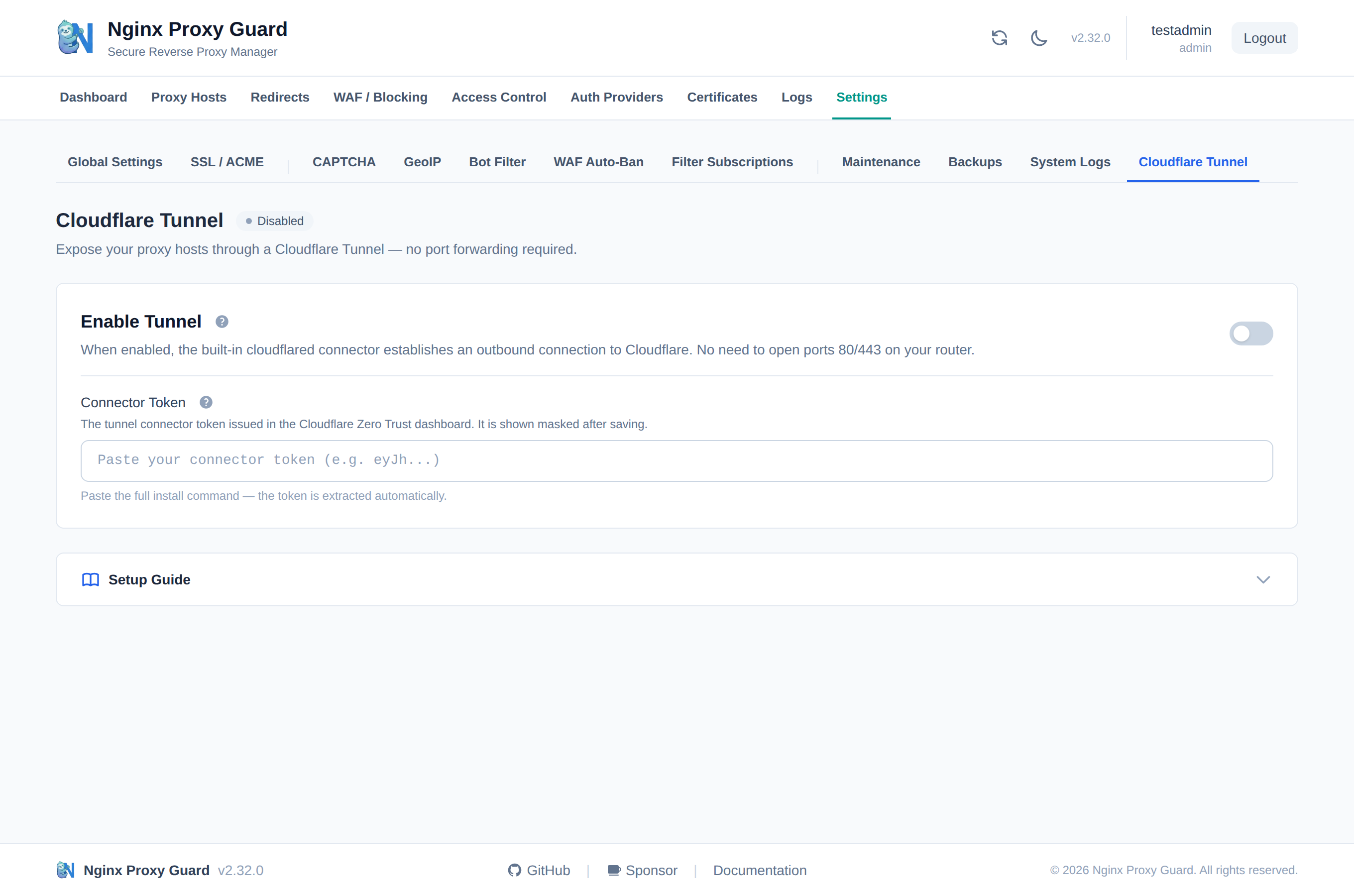
How it works
- Create a tunnel in the Cloudflare Zero Trust dashboard and paste the connector token — or paste the whole
cloudflaredinstall command and NPG extracts the token automatically. Toggle it on and save. Nodocker-composechanges required. - One tunnel covers every host. A single wildcard Public Hostname (
*.example.com) is enough — NPG routes each request to the right proxy host by itsHostheader. - The connector runs inside the nginx container over the host network, so the tunnel origin is simply NPG itself.
Built-in setup guide — shows the exact origin URL for your install (it reflects your configured HTTPS/HTTP ports) and calls out the two gotchas that trip people up: Cloudflare's first-match Public Hostname ordering, and HTTP-only hosts.
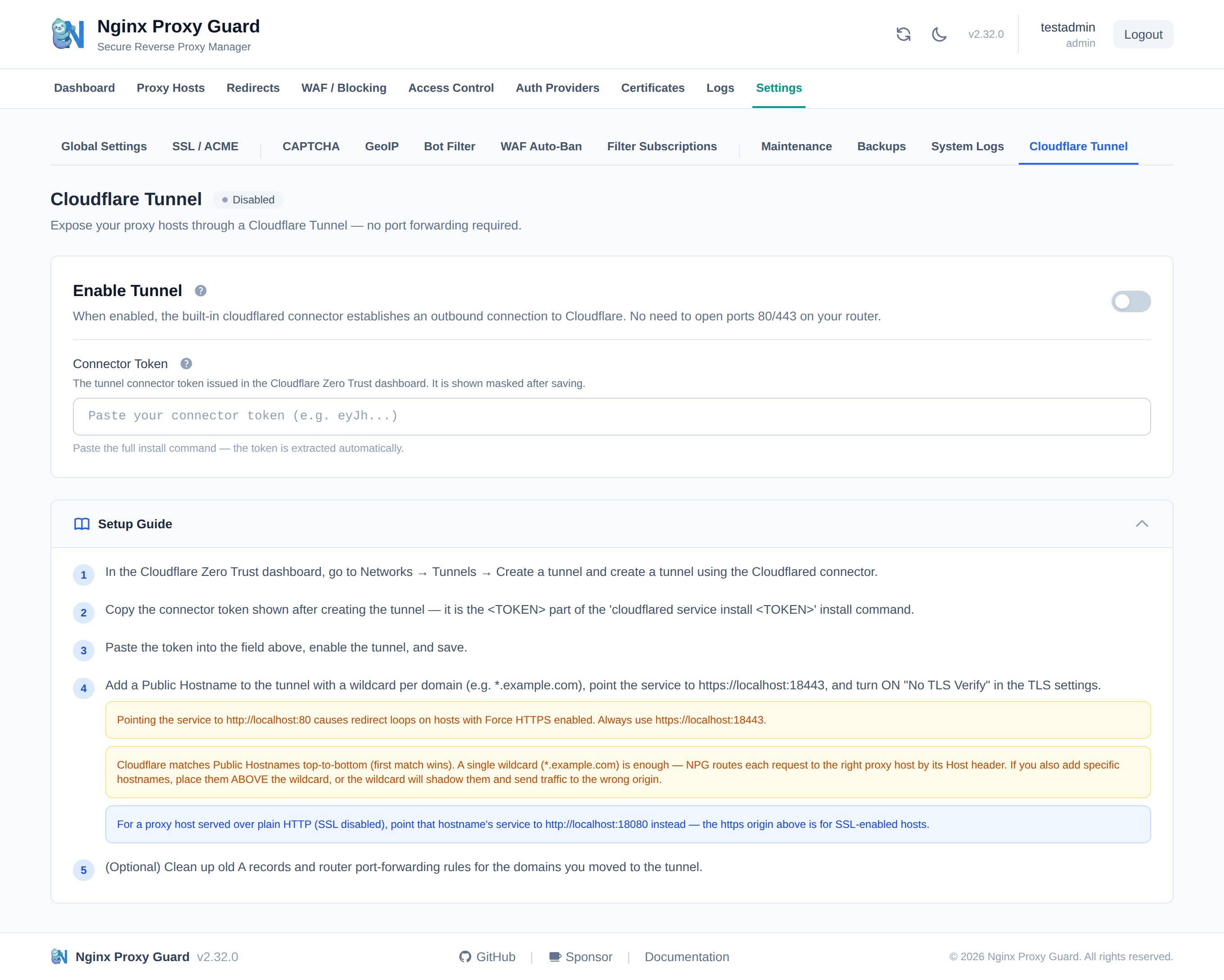
⚠️ Upgrading? Pull the nginx image too. The tunnel connector lives inside the nginx image, so pull all three:
docker pull svrforum/nginxproxyguard-nginx:2.32.0
docker pull svrforum/nginxproxyguard-api:2.32.0
docker pull svrforum/nginxproxyguard-ui:2.32.0
An older nginx image has no tunnel supervisor, so enabling the tunnel would silently do nothing.
Bug Fixes
- Proxy host delete/create no longer leaves a "zombie" nginx config under concurrency. A host deleted while a config regeneration was in flight could have its config resurrected and left behind, poisoning
nginx -tsystem-wide until the next manual Sync All. Delete/rollback now update the database first so the drift sweep is authoritative, and a failed config cleanup is surfaced instead of silently reported as success. - System logs now capture container startup logs on a cold
docker compose up. Previously only the nginx source appeared until you restarted every container; other sources (API, DB, UI) were missing because their startup burst was emitted before the log collector attached. The collector now reaches back to each container's start time. (#205) - Localized the global-default audit-log action labels (Korean / English).
v2.31.1
전역 WAF 기본값 켤 때 발생하던 오류 수정 (#202)
v2.31.0에서 추가된 전역 WAF 기본값(Global Default WAF) 을 켤 때, 이미 "상속(Inherit)" 상태로 설정해 둔 호스트가 있으면 저장이 거부되던 문제를 수정했습니다.
무엇이 문제였나
특정 순서에서만 재현되던 버그입니다.
- 호스트의 WAF를 상속(Inherit) 으로 먼저 설정 (이때 전역 기본값은 꺼져 있음)
- 이후 전역 WAF 기본값을 켬
이 순서로 조작하면, 상속 중이던 호스트의 실효 WAF 설정은 "켜짐"으로 바뀌지만 해당 호스트의 ModSecurity 설정 파일이 새로 생성되지 않아, nginx 설정 검사(nginx -t)가 존재하지 않는 파일을 참조하며 실패했습니다. 그 결과 전역 기본값 켜기 자체가 거부되었습니다.
수정 내용
전체 설정 동기화 과정에서, 저장된 호스트 값이 아니라 전역 기본값이 반영된 실효(resolved) 호스트 값을 기준으로 per-host ModSecurity 파일을 생성하도록 바로잡았습니다. 이제 상속 호스트가 전역 기본값을 따라 WAF가 켜지면 해당 설정 파일도 함께 생성되어 검사가 통과합니다.
품질
- 이 순서(상속 먼저 → 전역 나중)를 그대로 재현하는 Playwright 회귀 테스트를 추가해, 동일 문제의 재발을 막습니다.
Full Changelog: https://github.com/svrforum/NginxProxyGuard/compare/v2.31.0...v2.31.1
v2.31.0
보안 옵션 전역 기본값 + 호스트별 3단계 오버라이드 (#198)
프록시 호스트가 많은 홈서버 운영자를 위해, 6가지 보안 옵션을 한 번만 설정하면 모든 호스트에 적용되도록 하는 전역 기본값(Global Default) 기능이 추가되었습니다. 각 호스트는 필요할 때만 예외를 두면 됩니다.
새로운 기능
전역 기본값을 지원하는 6가지 보안 옵션
- GeoIP 국가 제한
- 봇 필터
- 보안 헤더(Security Headers)
- 클라우드 제공자 차단(Cloud Provider Blocking)
- 요청 속도 제한(Rate Limit)
- WAF(ModSecurity) 모드 · Paranoia Level
호스트별 3단계 선택 (상속 / 재정의 / 비활성화)
- 상속(Inherit) — 전역 기본값을 그대로 따릅니다. 전역 설정만 바꾸면 상속 중인 모든 호스트에 한 번에 반영됩니다.
- 재정의(Override) — 이 호스트만 별도 값을 사용합니다(기존 방식).
- 비활성화(Disable) — 전역 기본값이 켜져 있어도 이 호스트에서는 해당 보안 옵션을 끕니다.
각 옵션의 전역 기본값은 WAF / 차단 메뉴 안의 전역 설정 화면에서 관리합니다.
업그레이드 시 동작 변화 없음
모든 전역 기본값은 **기본적으로 꺼진 상태(off)**로 도입됩니다. 따라서 이번 버전으로 업그레이드해도 기존 호스트의 동작은 전혀 바뀌지 않습니다. 전역 기본값을 직접 켤 때만 적용이 시작됩니다.
참고: 전역 기본값을 켜면, 지금까지 해당 옵션을 따로 설정하지 않았던(= 상속 상태의) 호스트들이 전역값을 따라가기 시작합니다. 특정 호스트만 계속 꺼두려면 그 호스트에서 **비활성화(Disable)**를 선택하세요.
WAF 전역 변경 안내: WAF(ModSecurity) 전역 기본값을 바꾼 경우, 규칙이 다시 로드되도록 프록시 재시작 후 완전히 적용됩니다.
품질
- 신규/업그레이드 설치 경로 모두에서 마이그레이션 검증(기존 호스트는 안전한 기본값으로 자동 채움).
- 전역 관리 화면과 호스트별 3단계(상속·재정의·비활성화) 동작을 Playwright E2E로 검증.
Full Changelog: https://github.com/svrforum/NginxProxyGuard/compare/v2.30.1...v2.31.0
v2.30.1
관리자 감사 로그 다국어 표시 수정 (#196)
영어 UI를 사용할 때 관리자 감사(Admin Audit) 로그의 "Activity" 컬럼이 한국어(로그인, 설정 변경 등)로 표시되던 문제를 수정했습니다.
버그 수정
- 감사 로그 활동 라벨이 UI 언어를 따르도록 수정: 이제 영어 UI에서는
Login,Settings Updated,Proxy Host Updated처럼 영어로, 한국어 UI에서는 기존대로 한국어로 표시됩니다.- 로그인/로그아웃, 프록시 호스트·인증서·WAF·백업·API 토큰 등 모든 활동 유형에 적용됩니다.
유지보수
- UI 의존성 minor/patch 업데이트 (react-query, i18next, react-router, recharts, tailwind, vite 등) — #197.
Full Changelog: https://github.com/svrforum/NginxProxyGuard/compare/v2.30.0...v2.30.1
v2.30.0
접속 로그에서 쿼리스트링 제외 옵션 (#195)
API 키·액세스 토큰·웹훅 시크릿을 쿼리 파라미터로 전달하는 앱 때문에 이런 값들이 접속 로그(및 회전·압축된 아카이브)에 평문으로 남는 문제를 해결하는 옵션을 추가했습니다.
새 기능
- "접속 로그에서 쿼리스트링 제외" 토글 (설정 → 전역 설정 → 고급): 켜면 접속 로그에 경로(path)만 기록하고 쿼리스트링(
?apiKey=…,?access_token=…등)은 남기지 않습니다.- 예:
GET /api/image?apiKey=SECRET→GET /api/image로만 기록. - 기본값은 꺼짐(현행 유지) — 필요한 사용자만 켜면 됩니다.
- method·status·host·클라이언트 IP·User-Agent·차단 사유 등 분석에 필요한 정보는 그대로 유지됩니다.
- 예:
참고
- 내부 로그 파이프라인 점검(PipelineCanary)은 이 옵션과 무관하게 정상 동작하도록 처리되어 있습니다.
- 옵션을 켜면 nginx 설정이 자동 재생성·reload됩니다.
Full Changelog: https://github.com/svrforum/NginxProxyGuard/compare/v2.29.1...v2.30.0
v2.29.1
로그 통계에서 내부 헬스체크(PipelineCanary) 제외 (#191)
내부 로그 파이프라인 점검용 요청(PipelineCanary)이 로그 통계에 집계되던 문제를 고쳤습니다.
수정
- PipelineCanary 요청이 통계에서 제외 (#191): NginxProxyGuard는 로그 수집 파이프라인이 정상 동작하는지 5분마다 내부 점검 요청(
/__npg_canary)을 보냅니다. 이 요청은 사용자 로그·통계에서 제외되어야 하는데, 일부 통계 집계 경로(로그 → 통계의 상위 User-Agent·국가·요청 수 등)에서 빠지지 않아Go-http-client같은 내부 트래픽이 통계에 잡혔습니다.- 이제 모든 통계 집계에서 일관되게 제외됩니다. 점검 요청 데이터 자체는 파이프라인 검증에 필요하므로 보관되며, 화면 표시에서만 제외됩니다.
- 대시보드의 대표 수치(총 요청 수 등)는 이전에도 정상이었고,
로그 → 통계화면의 상위 목록에서 주로 보이던 문제입니다.
Full Changelog: https://github.com/svrforum/NginxProxyGuard/compare/v2.29.0...v2.29.1
v2.29.0
UI에서 업데이트 확인 (#190)
관리 화면에서 새 버전이 나왔는지 한눈에 확인할 수 있습니다.
새 기능
- 업데이트 확인 카드 (설정 → 일반): 설치된 버전과 GitHub 최신 릴리즈를 비교해, 최신인지 / 새 버전이 있는지를 표시합니다.
- 새 버전이 있으면 릴리즈 노트 링크와 함께 업데이트 명령(
docker compose pull && docker compose up -d)을 안내합니다. - "업데이트 확인" 버튼으로 수동 재확인이 가능합니다.
- 새 버전이 있으면 릴리즈 노트 링크와 함께 업데이트 명령(
참고
- 표시·안내 전용입니다 — NginxProxyGuard가 스스로 업데이트하지는 않습니다. 컨테이너가 자기 이미지를 교체하려면 Docker 소켓 접근/다중 컨테이너 버전 조율이 필요해 보안상 위험하므로, 실제 업데이트는 위 명령으로 직접 적용합니다.
- 버전 확인은 GitHub Releases를 1시간 캐시로 조회합니다(레이트리밋 보호).
Full Changelog: https://github.com/svrforum/NginxProxyGuard/compare/v2.28.4...v2.29.0
v2.28.4
nginx 보안 업데이트 + 목록 UI 안정화
nginx를 보안 패치 버전으로 올리고, 연결 정보가 많은 항목에서 화면이 길게 늘어나던 문제들을 마저 정리했습니다.
보안
- nginx 1.30.1 → 1.30.2:
ngx_http_rewrite_module버퍼 오버플로우 취약점(CVE-2026-9256)을 수정한 nginx 안정(stable) 버전으로 업데이트했습니다.rewrite/return/if등 리다이렉트·force-https 처리에 쓰이는 핵심 모듈이라 권장 업데이트입니다. (mainline 1.31.x가 아닌 안정 브랜치의 보안 패치를 적용)
수정
- Authentik 인증 제공자 — nginx 설정 에러 수정 (#189): Authentik(및 "큰 버퍼" 커스텀 제공자)를 붙인 프록시 호스트에서
proxy_busy_buffers_size must be less than ...에러로nginx -t가 실패해 설정이 적용/reload되지 않던 문제를 고쳤습니다. ForwardAuth 템플릿이 버퍼 풀(proxy_buffers)을 전역 설정보다 작게 덮어써 전역proxy_busy_buffers_size와 충돌한 것이 원인으로, 큰 인증 응답 헤더에 실제로 필요한proxy_buffer_size만 키우도록 수정했습니다. - 프록시 호스트 목록 — 도메인 많은 행 캡: 와일드카드/다중 도메인(SAN) 호스트처럼 한 호스트에 도메인이 많을 때 행이 비정상적으로 길어지던 문제를 고쳤습니다. 이제 도메인을 처음 3개만 보여주고 나머지는 **"+N개 더보기"/"접기"**로 펼칠 수 있습니다. (v2.28.3에서 고친 인증서 카드와 동일한 방식)
- 접근 목록 카드 — 항목 많을 때 스크롤: 접근 목록을 펼쳤을 때 IP/CIDR 규칙이 많으면 카드가 끝없이 길어지던 것을, 카드 안에서 스크롤되도록 바꿨습니다.
- 접근 목록 조회 견고성: 설명(description)이 비어 있는(NULL) 접근 목록·규칙이 있을 때 목록 조회가 실패(500)하던 잠재 문제를 수정했습니다. (정상 경로로는 거의 발생하지 않지만, 수동 편집/구버전 데이터에서 발생 가능)
내부
- 의존성 업데이트:
echo/v4(백엔드),react-router-dom·@tailwindcss/vite·eslint등(프론트엔드), CIactions/checkoutv7.
Full Changelog: https://github.com/svrforum/NginxProxyGuard/compare/v2.28.3...v2.28.4
v2.28.3
인증서 화면 카드 깨짐 수정 (#183, #185)
연결된 호스트가 많은 인증서에서 인증서 카드가 세로로 길게 늘어나며 화면이 깨지던 문제를 고쳤습니다.
수정
- 인증서 카드의 "연결된 호스트" 목록 캡 (#183, #185): v2.27.0 카드 리디자인 이후, 하나의 인증서에 연결된 프록시 호스트가 많을 경우(예: 와일드카드/다중 도메인 인증서) 호스트가 제한 없이 세로로 쌓여 카드가 비정상적으로 길어졌습니다. 이제 처음 3개만 가로로 보여주고, 나머지는 **"+N 더보기"**로 펼치고 **"접기"**로 다시 접을 수 있습니다 — 같은 카드의 도메인 목록과 동일한 방식입니다.
참고
- 표시 방식만 바뀌었고 인증서·연결 정보 자체는 변동이 없습니다. 카드를 새로고침하면 바로 정상적으로 보입니다(브라우저 캐시 문제가 아니었습니다).
Full Changelog: https://github.com/svrforum/NginxProxyGuard/compare/v2.28.2...v2.28.3
v2.28.2
GeoIP 업데이트 실패 진단성 개선 (#184)
GeoIP 데이터베이스 업데이트가 실패할 때 원인을 알 수 있게 하고, 가장 흔한 실패 원인을 사전에 막습니다.
수정
- 업데이트 실패 시 실제 에러 표시 (#184): 그동안 업데이트 이력의 "세부정보"에
geoipupdate version 7.0.1 (...)같은 버전 배너만 보이고 정작 실패 원인은 잘려서 안 보였습니다. 이제 geoipupdate의 실제 에러 메시지(예: 인증 실패/401, 권한 없음 등)를 표시합니다. - MaxMind Account ID 검증: geoipupdate 7.x는 라이선스 키와 함께 숫자 Account ID가 반드시 필요합니다. Account ID가 비었거나 잘못된 경우(0·비숫자), 이제 업데이트 시 **"Account ID를 설정하세요"**라는 명확한 메시지로 바로 안내합니다.
- 라이선스 키만 재발급해도 안 고쳐지던 실패가 대부분 이 경우였습니다.
설정 → GeoIP에서 MaxMind **Account ID(숫자)**를 함께 입력해 주세요.
- 라이선스 키만 재발급해도 안 고쳐지던 실패가 대부분 이 경우였습니다.
안내
- MaxMind GeoLite2는 Account ID + License Key 두 가지 모두 필요합니다. 둘 다 MaxMind 계정에서 확인할 수 있습니다.
Full Changelog: https://github.com/svrforum/NginxProxyGuard/compare/v2.28.1...v2.28.2
v2.28.1
백신 오탐 유발 파일 제거 (OWASP CRS 테스트 픽스처)
Windows Defender 등 백신이 NPG의 nginx_data/owasp-crs/tests/... 파일을 백도어(Backdoor:PHP/Chopper)로 오탐하던 문제를 해결했습니다(#182).
수정
- OWASP CRS 비런타임 파일 제거 (#182): CRS에는 WAF가 PHP 공격·웹셸을 제대로 차단하는지 검증하는 회귀 테스트 픽스처가 포함되는데, 여기엔 샘플 공격 페이로드(웹셸 문자열 등)가 들어 있어 백신이 이를 악성코드로 오탐했습니다. 이 파일들은 런타임에 전혀 사용되지 않으므로(실제 차단은
rules/*.conf룰이 담당), 이미지와 볼륨에서tests/·util/·docs/를 제거하도록 했습니다.- 백신 오탐이 사라지고 이미지도 가벼워집니다. WAF 차단 동작에는 영향이 없습니다.
- 기존 설치도 프록시 컨테이너 재시작 시 볼륨에서 해당 파일이 자동 정리됩니다.
안내
- 이전에 백신이 격리/삭제한 해당 테스트 파일은 실제 위협이 아니었으며(오탐), 제거돼도 NPG 동작에 영향이 없습니다.
Full Changelog: https://github.com/svrforum/NginxProxyGuard/compare/v2.28.0...v2.28.1
v2.28.0
인증 제공자 도커 컨테이너 선택 + IP 자동 추적 + 상태 관측성
인증 제공자(ForwardAuth)의 인증 서비스 주소를 IP로 직접 입력하지 않고 실행 중인 도커 컨테이너에서 선택할 수 있고, 컨테이너 IP가 바뀌면 자동으로 갱신합니다. 더불어 그 자동 추적이 잘 되고 있는지/문제가 있는지를 화면과 로그에서 바로 확인할 수 있게 했습니다(#181).
새 기능 — 도커 컨테이너 선택 (#181)
- 컨테이너에서 선택:
인증 → 인증 제공자 → 추가/편집의 인증 서비스 URL 옆 "도커 컨테이너에서 선택" 버튼으로, 실행 중인 컨테이너와 네트워크·포트를 골라 주소를 자동으로 채웁니다(프록시 호스트의 컨테이너 선택과 동일한 방식). "연결 해제"로 언제든 수동 입력으로 되돌릴 수 있습니다. - IP 변경 자동 추적: 선택한 컨테이너의 IP가 바뀌면 백그라운드에서 다시 확인해 인증 제공자 주소를 갱신하고, 그 제공자를 사용하는 모든 프록시 호스트의 설정을 다시 생성합니다(#150/#151과 동일한 안전 동작 — 멀티 네트워크는 선택한 네트워크 기준으로만 추적).
새 기능 — 인증 제공자 상태 표시 (#181)
- 상태 배지: 컨테이너 기반 인증 제공자 카드에 🟢 동기화됨(현재 IP·시각) / 🔴 컨테이너 못 찾음(툴팁에 원인) 배지를 표시합니다. "왜 인증이 안 되지?"를 컨테이너 로그를 뒤지지 않고 한눈에 파악할 수 있습니다.
- 로그 기록: 컨테이너 IP가 바뀌거나 컨테이너를 찾지 못하면 **로그 화면(시스템 로그)**에 기록됩니다. 백업을 컨테이너가 없는 다른 환경에 복원한 경우에도 곧바로 🔴로 드러납니다.
- Fail-closed 원칙: 인증 서버가 다운돼도 호스트의 인증 보호는 절대 자동 해제되지 않습니다(문제만 표면화, 보호는 유지).
수정
- 인증 제공자 선택 콤보박스: 프록시 호스트 보안 탭에서 제공자가 있는데도 첫 항목이 "인증 제공자가 없습니다…"로 뜨던 문제 수정 → 제공자가 있으면 **"사용 안 함"**으로 표시.
안정성
- SSL 미적용 호스트에 Authelia/Authentik 연결 차단: 이들은 보안 쿠키 특성상 보호 대상이 https여야 하므로, SSL이 꺼진 호스트에 연결하면 인증이 조용히 실패하던 것을 저장 단계에서 "SSL을 먼저 켜세요" 메시지로 막습니다(커스텀 제공자는 영향 없음).
- 재조정 견고화: IP 갱신 중 nginx 설정 검증이 실패하면 주소를 이전 값으로 되돌려 다음 주기에 재시도(DB·nginx 영구 불일치 방지).
- 연결 해제 시 주소 초기화 / 자가서명 https 검증 서버 대응(verify 위치에
proxy_ssl_verify off) / 도커 목록 조회 타임아웃(느린 도커 소켓에서 무한 대기 대신 "Docker 응답 없음"). - 우회 경로 인라인 검증: 저장 전 잘못된 경로를 즉시 표시. 삭제 시 영향받는 호스트 수를 먼저 알리고 프록시 호스트 목록을 갱신.
안내
- 컨테이너 선택·자동 추적은 NPG가 도커 소켓에 접근할 수 있어야 동작합니다(프록시 호스트의 컨테이너 선택과 동일 조건).
- Authelia/Authentik으로 보호할 호스트는 SSL을 활성화해 두세요.
- 참고: NPG에 SSL을 적용하지 않고 외부에서 TLS를 종단하는 프록시(예: Cloudflare Flexible) 뒤에 두는 구성은 별도 지원이 필요합니다(추후).
Full Changelog: https://github.com/svrforum/NginxProxyGuard/compare/v2.27.1...v2.28.0
v2.27.1
ForwardAuth 인증이 거부되던 문제 수정 (Authelia/Authentik)
v2.27.0에서 추가된 인증 제공자(ForwardAuth)에서, Authelia가 인증 요청을 insecure scheme 'http' 오류로 거부하던 문제를 수정했습니다(#180).
수정
- ForwardAuth 인증 요청의 scheme 처리 (#180): NPG가 인증 서버(Authelia/Authentik)로 보내는 검증 요청의
X-Original-URL이 항상 연결 scheme($scheme)을 그대로 사용해, 인증 검사가 HTTP(80) 컨텍스트에서 실행되면http://...로 전달되어 Authelia가 거부했습니다.- SSL이 적용된 호스트는 이제
X-Original-URL에https를 사용합니다. 인증 검사가 HTTP(80) 블록에서 실행되거나(예: SSL은 켜고 "HTTPS 강제"는 끈 경우), NPG가 TLS를 종단하는 상위 프록시 뒤에서 동작하는 경우에도 인증 서버가 올바른 scheme을 받습니다. - Authelia와 Authentik 양쪽에 동일하게 적용했으며, 로그인 후 되돌아오는 리다이렉트 주소도
https로 교정됩니다.
- SSL이 적용된 호스트는 이제
안내
- Authelia/Authentik은 세션 쿠키 보안상 보호 대상 URL이 https여야 합니다. 인증 제공자를 적용하는 프록시 호스트는 SSL을 활성화해 두세요.
- 참고: NPG에 SSL을 적용하지 않고 외부에서 TLS를 종단하는 프록시(예: Cloudflare Flexible) 뒤에 두는 구성은, 인증 서버가 요구하는 https 조건을 만족하지 못해 별도 지원이 필요합니다(추후 개선 예정).
Full Changelog: https://github.com/svrforum/NginxProxyGuard/compare/v2.27.0...v2.27.1
v2.27.0
ForwardAuth(인증 제공자) 지원 + 메뉴 전반 UI 리디자인
Authelia·Authentik 같은 외부 인증(SSO) 게이트를 프록시 호스트 앞단에 손쉽게 붙일 수 있는 인증 제공자 기능을 추가했습니다. 더불어 목록·폼 화면 전반을 카드 기반의 정돈된 디자인으로 새로 다듬었습니다.
새 기능 — 인증 제공자 (ForwardAuth) (#179)
외부 인증 서버로 접근을 먼저 검증한 뒤에만 백엔드로 트래픽을 흘려보내는 인증 게이트(nginx auth_request)를 GUI에서 구성할 수 있습니다.
- 재사용 가능한 "인증 제공자" 엔티티: 인증 서버를 한 번 등록해두고 여러 프록시 호스트에서 공유합니다. 제공자 설정을 바꾸면 이를 사용하는 모든 호스트의 nginx 설정이 자동으로 다시 생성됩니다.
- 프리셋 + 커스텀:
- Authelia / Authentik — 검증된 연동 설정이 내장되어 서버 주소만 입력하면 동작합니다.
- 커스텀 — 검증 경로·전달 헤더·공개(콜백) 경로·로그인 리다이렉트 등을 직접 지정해 다른 ForwardAuth 호환 서버에도 연결할 수 있습니다.
- 호스트 전체 보호 + 우회 경로: 인증 제공자를 적용하면 해당 호스트 전체가 인증으로 보호됩니다. 인증 없이 통과시킬 경로(예:
/api,/health)는 우회 경로로 지정할 수 있습니다. - 적용 현황 한눈에:
인증 제공자페이지에서 각 제공자가 적용된 호스트 / 미적용 호스트를 바로 확인하고, 그 자리에서 연결·해제할 수 있습니다. - 적용 방법:
프록시 호스트 → 수정 → 보안탭에서 인증 제공자를 선택합니다. 인증 제공자 페이지 상단의 안내에서도 위치를 알려줍니다.
UI 리디자인
- 카드 기반 목록 + 아이콘 액션: 리다이렉트, 인증서(목록·이력), DNS 제공자, 접근 목록, 차단 IP, Fail2ban, 익스플로잇 규칙, 인증 제공자 등 목록 화면을 일관된 카드 디자인과 아이콘 버튼으로 정리했습니다.
- 폼 정돈: 생성·수정 폼과 프록시 호스트의 각 탭 입력 요소를 더 깔끔하고 일관되게 다듬었습니다.
- 모달 반응성 개선: 모달의 무거운 배경 블러를 제거하고 열림 애니메이션을 최적화해, 모달을 띄우거나 입력할 때의 버벅임을 줄였습니다.
- 로딩 깜빡임 제거: 프록시 호스트 등에서 수정 모달을 처음 열 때 잠깐 보이던 하얀 로딩 화면을 없앴습니다.
안정성 · 보안
- 입력값 검증 강화: 인증 제공자의 서버 주소·커스텀 설정 필드·우회 경로 등 nginx 설정에 반영되는 값을 사전에 검증해, 잘못된 형식이나 설정을 깨뜨릴 수 있는 문자가 들어오면 저장 단계에서 거부합니다(HTTP 400). nginx 설정 검사(
nginx -t)도 최종 안전장치로 그대로 동작합니다. - 백업 호환: 인증 제공자와 호스트의 인증 연결 정보가 백업 내보내기/가져오기에 포함됩니다.
안내
- 인증 제공자 적용·변경은 프록시 호스트 설정이 다시 생성된 뒤 반영됩니다.
- Authelia는 보안상 검증 대상이
https여야 합니다(최신 Authelia의 nginx 연동 기준). 인증으로 보호할 호스트는 SSL이 적용된 상태를 권장합니다. - 인증 제공자는 한 호스트에서 지역 차단(GeoIP) 챌린지(CAPTCHA) 모드와 동시에 사용할 수 없습니다. 두 기능이 같은 위치에서 충돌하므로, 동시에 설정하면 저장이 거부됩니다.
- 사용자/그룹·역할 기반 세부 인가는 인증 서버(IdP) 쪽 정책에서 관리합니다. NPG는 "인증 통과 여부"를 게이트하고, 인증 서버가 내려준 사용자 정보 헤더를 백엔드로 전달합니다.
Full Changelog: https://github.com/svrforum/NginxProxyGuard/compare/v2.26.0...v2.27.0
v2.26.0
전역 신뢰 IP의 WAF 우회 옵션 추가
신뢰하는 출처(내부망·모니터링·사내 서비스 등)의 정상 트래픽이 WAF(ModSecurity) 오탐으로 차단될 때, 해당 IP에 한해 WAF 검사를 건너뛰도록 선택할 수 있는 옵션을 추가했습니다.
새 기능
- 전역 신뢰 IP — WAF(ModSecurity) 우회 (선택, 기본 꺼짐) (#166):
설정 → WAF 자동 차단 → 전역 신뢰 IP카드에 토글이 추가되었습니다. 켜면 신뢰 IP 목록의 주소에 대해 ModSecurity/OWASP CRS 검사를 완전히 건너뜁니다.- WAF만 우회합니다. nginx 레벨의 익스플로잇/스캐너 차단과 봇 필터는 계속 적용됩니다.
- IP 한정으로만 동작합니다 — 목록에 없는 IP는 종전과 동일하게 WAF 보호를 받습니다.
- 기본값은 꺼짐이며, 켜면 "해당 IP에 대해 WAF 보호가 비활성화된다"는 경고가 표시됩니다. 정말로 신뢰할 수 있는 주소에만 사용하세요.
안정성
- 백업 복원 정확도: 백업을 복원하면 전역 신뢰 IP 관련 설정(속도 제한 예외·WAF 우회 규칙)이 곧바로 nginx 설정에 반영되도록 했습니다(이전에는 다음 재시작까지 반영되지 않을 수 있었음).
- 설정 적용 견고화: 메인 nginx 설정 재생성의 롤백 스냅샷을 잠금 구간 안에서 캡처해, 동시 저장 상황에서도 안전하게 이전 상태로 복구됩니다.
안내
- WAF 관련 설정 변경은 프록시 컨테이너가 재시작된 뒤 적용됩니다(ModSecurity 규칙 특성). 토글을 켠 뒤 곧바로 반영되지 않으면 프록시를 재시작하세요.
- 신뢰 IP는 연결 출처(TCP 주소) 기준으로 판별합니다. 신뢰 프록시(예: 클라우드 프론트) 뒤에 둔 경우, 신뢰 프록시 범위 설정이 올바른지 확인하세요.
Full Changelog: https://github.com/svrforum/NginxProxyGuard/compare/v2.25.0...v2.26.0
v2.25.0
안정성·보안 강화 릴리즈 — 업그레이드 권장
전체 코드베이스를 점검해 신뢰성·성능·보안 전반을 다듬은 릴리즈입니다. 특히 v2.24.6에서 컨테이너를 재생성하면 프록시 설정 저장이 실패하던 문제를 수정했으므로, v2.24.6 사용자는 업그레이드를 권장합니다.
중요 수정 (v2.24.6 회귀)
- 컨테이너 하드닝으로 인한 설정 저장 불가 수정: v2.24.6에서 API 컨테이너를 재생성하면 nginx 설정 파일 쓰기가 권한 오류로 실패하던 문제를 해결했습니다. (신규 설치·업그레이드 모두 정상 동작)
안정성
- 설정 적용 신뢰성: nginx 설정 재생성을 단일 잠금 + 스냅샷/롤백으로 묶어, 일부 설정이 실패해도 이전 상태로 안전하게 복구됩니다. 적용 실패 시 호스트에 오류 상태가 표시됩니다.
- 액세스 리스트 즉시 반영: 액세스 리스트를 수정/삭제하면 이를 사용하는 모든 프록시 호스트에 곧바로 반영됩니다(이전에는 다음 저장 때까지 옛 규칙이 유지될 수 있었음).
- IP 차단 반영 보장: 차단/해제 시 nginx 재적용이 일시적으로 실패하면 자동 재시도하고, 끝내 실패하면 로그로 알립니다.
- 인증서 생애주기: 재시작 중 멈춘 발급/갱신 상태를 부팅 시 복구하고, 갱신 실패 시 백오프하며, 사용 중인 인증서·DNS 프로바이더 삭제를 차단합니다.
- 부팅 복원력: DB가 늦게 뜨면 재시도, Valkey(캐시)가 늦게 떠도 자동 재연결, 종료 시 진행 중 요청을 정상 드레인합니다.
- WAF 규칙 갱신: 이미지 업그레이드 시 OWASP CRS 규칙이 최신으로 갱신됩니다(운영자가 직접 튜닝한 파일은 보존).
성능
- 로그 수집 고속화: 대량 로그 적재를 COPY 방식으로 전환해 처리량을 크게 높였습니다(대규모 환경에 효과적).
- 대시보드 부하 감소: 통계 집계에 캐싱을 적용해 새로고침마다 무거운 재계산이 발생하지 않습니다. CPU·Docker 통계 조회도 캐싱·배치 처리합니다.
- GeoIP 조회 최적화: 로그 한 줄마다 발생하던 불필요한 캐시 왕복을 제거했습니다.
- nginx 설정 효율화: 호스트별로 중복 생성되던 필터 구독 IP 트리·공통 설정을 공유 방식으로 전환하고, 직접 포워딩 호스트에 백엔드 연결 재사용(keepalive)을 추가했습니다.
보안
- 고급 설정 검증 개선 (#129): 고급 설정의 커스텀
location블록 안에서proxy_pass를 다시 사용할 수 있습니다. 동시에, 관리되는 보호 영역을 벗어나 별도 서버 블록을 주입하는 시도와 로컬 파일 노출을 일으키는 지시자는 계속 차단합니다. - 취약점 신고 체계: 저장소에
SECURITY.md(비공개 취약점 신고 절차)와 의존성 자동 점검을 추가했습니다. - 백업 복원 정확도: 복원 시 인증서 파일을 실제로 생성하고, 보안 관련 설정 컬럼을 빠짐없이 복원하며, 손상된 백업을 완료로 표시하지 않습니다.
- 운영 가시성: 로그인 실패 시도가 감사 로그(클라이언트 IP 포함)에 남습니다.
안내
- 관리 패널(81 포트)은 인터넷에 직접 노출하지 않는 것을 권장합니다 — 자세한 내용은 README 및
SECURITY.md를 참고하세요.
Full Changelog: https://github.com/svrforum/NginxProxyGuard/compare/v2.24.6...v2.25.0
v2.24.6
보안 강화 릴리즈 — 업그레이드 권장
전체 코드베이스 보안 점검에서 확인된 항목들을 수정했습니다. 인터넷에 노출해 운영하는 경우 특히 업그레이드를 권장합니다.
인증 · 권한
- 초기 설정(기본 계정) 보호: 자격 증명을 변경하기 전에는 서버 측에서 보호 엔드포인트 접근을 차단합니다. 이제 기본 계정으로는 자격 증명 변경 외에 아무 작업도 할 수 없습니다.
- API 토큰 권한 적용: 각 API 토큰의 권한 범위(읽기/쓰기/삭제 등)가 실제로 엔드포인트별로 강제됩니다. (이전에는 유효한 토큰이면 범위와 무관하게 모든 API를 호출할 수 있었습니다.)
- 신뢰 프록시 IP 처리: 로그인 잠금·API 토큰 IP 허용목록·요청 제한·감사 로그가 실제 클라이언트 IP를 기준으로 동작하도록 보정했습니다(헤더 위조로 우회 불가).
입력 검증 · 설정 주입 방지
- 프록시 호스트 수정 시에도 전달 호스트/도메인 형식을 검증해, 조작된 값으로 nginx 지시자를 주입하는 것을 차단합니다.
- 고급 설정(advanced_config)에서 위험한 지시자 차단 범위를 넓혔습니다.
웹 보안
- 로그 화면에서 발생할 수 있던 저장형 XSS를 제거하고, 관리 UI에 Content-Security-Policy를 추가했습니다.
백업 · 네트워크
- 백업 복원 시 경로 탐색(디렉터리 이탈) 방지 및 개인키 파일 권한 보정.
- 클라우드 제공자 IP 목록 조회의 SSRF 차단(내부/메타데이터 주소 접근 거부).
컨테이너 하드닝
no-new-privileges, 불필요한 Linux capability 제거, UI 컨테이너 비루트 실행.
버그 수정
- 인증서 → DDNS / DNS 프로바이더 목록 페이지네이션 추가 — 20개를 넘는 항목도 페이지 이동으로 모두 조회할 수 있습니다. (#162)
Full Changelog: https://github.com/svrforum/NginxProxyGuard/compare/v2.24.5...v2.24.6
v2.24.5
전역 신뢰 IP가 이제 개별 호스트 보안까지 우회합니다
전역 신뢰 IP(설정 → 보안)가 그동안 자동 차단(Fail2ban·WAF 자동 차단·IP 차단)과 속도 제한에는 적용됐지만, 개별 프록시 호스트의 지역 제한(차단 모드)·접근 목록·클라우드 차단에는 적용되지 않아 호스트마다 IP를 다시 입력해야 했습니다. 이제 신뢰 IP가 이 경계 보안들도 일괄 우회합니다.
- 호스트가 10개여도 전역 신뢰 IP 한 번 설정으로 모든 호스트에 적용됩니다.
- 보안을 위해 WAF 규칙과 익스플로잇/스캐너 차단은 계속 적용됩니다 — 신뢰 IP라도 공격 트래픽을 백엔드로 전달할 수 없습니다.
프록시 호스트가 만든 DDNS 레코드의 'Cloudflare 프록시' 설정
프록시 호스트에서 자동 등록된 DDNS 레코드는 그동안 'Cloudflare 프록시'를 켤 수 없었습니다. 이제 가능합니다.
- DDNS 페이지에서 관리형 레코드의 프록시·TTL·활성 여부를 직접 편집할 수 있습니다(호스트명/프로바이더는 호스트가 소유하므로 잠금).
- 프록시 호스트 편집 화면에 'Cloudflare 프록시' 기본값 토글이 추가되어, 이 호스트에서 새로 생성되는 DDNS 레코드가 기본값을 상속합니다. 레코드별로 따로 바꾼 값은 그대로 유지됩니다.
Challenge 모드에서 발생하던 nginx 설정 오류 수정
일부 환경(구버전 docker-compose, Synology 등)에서 Challenge 모드를 켜면 nginx -t 가 the closing bracket in "API_HOST_PORT" variable is missing 오류로 실패하던 문제를 수정했습니다.
- 원인은 docker-compose의 중첩 변수 기본값이 일부 파서에서 그대로 남는 것이었습니다. 이제 API 주소를
API_HOST_PORT기준으로 안전하게 도출하고, 잘못된 값이 설정에 들어가지 않도록 방어합니다. - 커스텀 API 포트를 쓰는 경우도 올바르게 동작합니다.
Full Changelog: https://github.com/svrforum/NginxProxyGuard/compare/v2.24.4...v2.24.5
v2.24.4
로그 통계 "상위 URI" → "상위 경로"로 최적화
로그 화면의 상위 URI 통계가 대용량 환경에서 가장 느리던 부분이었는데, 경로 기준 집계로 바꿔 빠르고 더 유용하게 개선했습니다.
- 캐시버스터 쿼리스트링(예:
?t=1778768329) 때문에 URL이 요청마다 거의 고유해져, 상위 URI 집계가 매우 느렸습니다(대용량 환경에서 ~3초). 이제 쿼리스트링을 제외한 경로 기준으로 묶어 집계해 약 3.6배 빨라집니다. - 같은 경로의 캐시버스터 변형들이 하나로 합쳐져, "상위 경로" 결과가 훨씬 의미 있습니다(차트 이름도 "상위 경로 / Top Paths"로 변경).
Full Changelog: https://github.com/svrforum/NginxProxyGuard/compare/v2.24.3...v2.24.4
v2.24.3
로그 통계(차트·카운트) 캐싱 개선
대용량 환경에서 로그 화면의 통계/차트 영역이 매번 다시 계산되던 문제를 고쳤습니다.
- 날짜를 지정하지 않은 기본 화면에서 통계 캐시 키가 매 요청마다 달라져 Redis 캐시가 전혀 적중하지 않던 문제를 수정했습니다. 이제 같은 시간대의 반복 조회·자동 새로고침은 캐시된 결과를 즉시 사용합니다.
- 데이터가 많이 쌓인 환경(수억 건)에서 통계 영역의 반복 로딩이 수 초 → 즉시 수준으로 빨라집니다(최초 1회만 계산).
Full Changelog: https://github.com/svrforum/NginxProxyGuard/compare/v2.24.2...v2.24.3
v2.24.2
로그 화면 로딩 속도 대폭 개선 (대용량 환경)
로그가 많이 쌓인 환경에서 로그 화면 로딩이 매우 느리던 문제를 개선했습니다.
- 로그 목록 정렬 방식 최적화 — 로그 목록을 불러올 때 정렬 기준을 데이터베이스 파티션 키(
created_at)에 맞춰, TimescaleDB가 최신 데이터부터 필요한 만큼만 읽고 멈추도록 했습니다. 수천만~수억 건이 쌓인 환경에서 목록 로딩이 수 초 → 수십 ms 수준으로 빨라집니다(표시 순서는 동일). - 페이지 이동(다음 페이지)도 같은 방식으로 처리해 깊은 페이지에서도 빠릅니다.
참고: 오래된 버전(예: v2.18.x)에서 올라오시는 경우, 이 버전에 포함된 기본 조회 기간 제한·통계 캐시까지 함께 적용되어 로그/통계 화면 체감 속도가 크게 개선됩니다. 통계(차트) 집계의 추가 최적화는 이후 버전에서 이어집니다.
Full Changelog: https://github.com/svrforum/NginxProxyGuard/compare/v2.24.1...v2.24.2
v2.24.1
로그/시스템 로그 안정성 수정
시스템 로그 화면에 보이던 불필요한 "DB 에러"와 일부 잘못된 통계를 바로잡았습니다.
- 시스템 로그의 가짜 DB 에러 제거 — 로그 필터(로그 유형·심각도·차단 사유·소스·레벨, 프록시 호스트/사용자 ID)에 잘못된 값이 들어오면 데이터베이스까지 전달돼 오류로 기록되던 문제를 수정했습니다. 이제 잘못된 필터 값은 안전하게 무시됩니다.
- 재시작 메시지를 에러로 표시하지 않음 — 컨테이너 재시작 시 데이터베이스가 남기는 정상 종료 메시지(예: "terminating ... due to administrator command")가 치명적 오류처럼 보이던 것을, 정상 동작 로그로 분류하도록 변경했습니다.
- 시스템 로그 소스 필터 정상화 —
audit·api_token소스로 필터링이 정상 동작하도록 바로잡았습니다. - GeoIP 국가 통계 중복 집계 수정 — 같은 국가가 여러 줄로 나뉘어 합계가 부풀려지던 문제를 수정했습니다.
참고: 로그 화면 로딩 속도(특히 데이터가 많은 운영 환경)는 별도로 조사 중입니다.
Full Changelog: https://github.com/svrforum/NginxProxyGuard/compare/v2.24.0...v2.24.1
v2.24.0
전반적인 UI/UX 다듬기
인증서·WAF·로그·설정 등 주요 화면을 사용자 관점에서 전체적으로 손봤습니다.
- 부드러운 모달 애니메이션 — 모든 팝업(모달) 창이 갑자기 튀어나오지 않고 자연스럽게 페이드 + 확대되며 열리고 닫힙니다. 공통 모달 컴포넌트로 통일해 동작·접근성(ESC 닫기, 화면 리더 지원)을 일관되게 맞췄습니다. 입력 중인 폼은 바깥을 실수로 눌러도 닫히지 않아 작성하던 내용이 사라지지 않습니다.
- 설정 메뉴 정리 — 설정 화면의 탭이 10개가 제각각 색으로 흩어져 있던 것을, 일반 · 보안 · 운영 세 그룹으로 묶고 구분선을 넣어 정리했습니다. 지나치게 포괄적이던 "보안" 탭은 실제 기능에 맞게 **"WAF 자동 차단"**으로 이름을 바꿨습니다.
- 한국어 현지화 보강 — 일부 화면에 영어로 노출되던 안내·버튼·옵션·툴팁(WAF 테스터 결과, 정책 변경 이력, 전역 설정 제목, DNS 프로바이더 오류, 로그 파일 화면 등)을 한국어로 번역했습니다.
- 실수 방지 — 전역 설정 초기화, WAF 규칙 일괄 비활성화처럼 되돌리기 어려운 작업에 확인 절차를 추가했습니다.
- 저장 결과 안내 통일 — 백업·시스템 로그·봇 필터 등 설정 저장 시 결과를 화면 상단 배너로 일관되게 보여줍니다(이전에는 일부가 팝업 경고창이었습니다).
- 일관성 개선 — 버튼·아이콘 색상을 기본 테마 색으로 통일하고, 아이콘 버튼에 접근성 라벨을 추가했습니다.
Full Changelog: https://github.com/svrforum/NginxProxyGuard/compare/v2.23.3...v2.24.0
v2.23.3
프록시 호스트 UI/UX 개선
프록시 호스트 화면을 사용자 관점에서 다듬었습니다.
- 로드 밸런싱 발견성 — 프록시 호스트를 새로 만들 때도 "로드 밸런싱(Upstream)" 탭이 보이며, 호스트를 먼저 저장한 뒤 백엔드 서버·분배 방식·헬스 체크를 설정하라는 안내를 표시합니다. (기존에는 수정 화면에서만 노출돼 발견이 어려웠습니다.)
- 보안 탭 정리 — 보안 탭의 여러 섹션(우선 허용 IP, 취약점 차단, WAF, 접근 목록, 봇 필터, GeoIP, 클라우드 차단)을 접을 수 있는 카드로 바꿔, 사용하지 않는 섹션을 접어 원하는 설정을 더 빠르게 찾을 수 있습니다.
- 상태 표시 명확화 — 호스트 목록의 백엔드 상태 점 툴팁을 "백엔드 온라인/오프라인"으로 명확히 해, 활성/비활성(사용 여부) 토글과 구분되도록 했습니다.
- 실수 방지 — 호스트 행의 삭제 버튼을 다른 액션과 시각적으로 분리했습니다.
- 현지화 버그 수정 — 일부 한국어 화면에 영어로 노출되던 안내·툴팁(SSL 비활성 안내, 상태/기능 툴팁)을 번역했습니다.
Full Changelog: https://github.com/svrforum/NginxProxyGuard/compare/v2.23.2...v2.23.3
v2.23.2
DDNS — Dynu 프로바이더 추가
DDNS 자동 등록에 Dynu를 지원합니다. 기존 Cloudflare·DuckDNS에 이어 세 번째 프로바이더입니다.
- 인증서 메뉴에서 Dynu DNS 프로바이더(API-Key)를 등록한 뒤, 프록시 호스트의 DDNS 자동 등록에서 선택하면 해당 호스트의 도메인이 공인 IP 변경에 맞춰 Dynu를 통해 자동 갱신됩니다.
- 일괄 추가(프록시 호스트에서 추가) 모달에서도 Dynu 프로바이더를 선택할 수 있습니다.
- Dynu REST API(v2)를 사용하며, 동기화 상태·자격증명은 프록시 호스트 "설정 테스트"의 DDNS 섹션에서 확인할 수 있습니다.
Full Changelog: https://github.com/svrforum/NginxProxyGuard/compare/v2.23.1...v2.23.2
v2.23.1
DDNS 사용성 개선
v2.23.0의 프록시 호스트 ↔ DDNS 통합을 더 매끄럽게 다듬었습니다.
- 등록 즉시 자동 동기화 — 프록시 호스트에서 DDNS를 켜고 저장하면, 갱신 주기를 기다리지 않고 바로 1회 동기화합니다. 도메인이 곧장 현재 공인 IP를 가리킵니다. (동기화는 백그라운드로 처리되어 저장 속도에 영향을 주지 않습니다.)
- 설정 테스트에 DDNS 점검 추가 — 프록시 호스트 "설정 테스트"를 실행하면, DDNS가 켜진 호스트에 대해 DNS 프로바이더 자격증명 검증과 마지막 동기화 상태(IP·시각·성공/실패) 를 함께 보여줍니다. (원격 DNS는 변경하지 않는 읽기 전용 점검입니다.)
- DDNS 메뉴 위치 이동 — DDNS 화면이 설정 에서 인증서 → DDNS 탭으로 옮겨졌습니다. DNS 프로바이더와 같은 메뉴에 모여 찾기 쉬워집니다.
- 프록시 호스트 폼 안내 — DDNS 자동 등록을 켜면 "인증서 → DDNS에서 상태를 확인하세요" 안내가 표시됩니다.
Full Changelog: https://github.com/svrforum/NginxProxyGuard/compare/v2.23.0...v2.23.1
v2.23.0
새로운 기능
프록시 호스트 ↔ DDNS 통합 (#157)
프록시 호스트와 DDNS를 하나로 묶었습니다. 이제 호스트마다 DDNS 자동 등록을 켜기만 하면, 그 호스트의 도메인이 공인 IP 변경에 맞춰 자동으로 갱신됩니다.
- 호스트별 DDNS 자동 등록 토글 — 프록시 호스트 추가/수정 화면의 기본 탭에서 "DDNS 자동 등록"을 켜고 DNS 프로바이더(Cloudflare / DuckDNS)를 선택하면, 해당 호스트의 모든 도메인이 관리형 DDNS 레코드로 자동 생성됩니다. 내부 IP를 가리키는 호스트가 의도치 않게 공인 IP로 노출되지 않도록 기본은 꺼짐(옵트인)입니다.
- 호스트 변경 자동 동기화 — 호스트의 도메인을 추가·삭제하거나 DDNS를 끄면 관리형 레코드도 함께 갱신됩니다. 호스트를 삭제하면 관리형 레코드도 자동으로 정리됩니다(원격 DNS 레코드는 건드리지 않습니다).
- 프록시 호스트에서 일괄 추가 — 설정 → DDNS 페이지의 "프록시 호스트에서 추가" 버튼으로 기존 호스트 여러 개를 골라 한 번에 DDNS를 켤 수 있습니다.
- 갱신 주기 설정 — 설정 → DDNS 에서 스케줄러가 공인 IP를 확인·갱신하는 주기(분)를 직접 지정할 수 있습니다(최소 1분).
- DDNS 페이지에서 프록시 호스트가 관리하는 레코드는 "프록시 연동" 배지로 표시되며, 호스트 편집 화면에서 관리하도록 직접 편집/삭제는 비활성화됩니다.
안정성 / 버그 수정
- 백업 복구 시 DDNS 갱신 주기 보존 — 백업/복구 라운드트립에 DDNS 갱신 주기 설정이 포함되지 않아 복구 후 기본값(5분)으로 되돌아가던 문제를 수정했습니다.
- UI 편집 시 DDNS 동기화 보장 — 프록시 호스트를 화면에서 저장할 때 도메인 변경·DDNS 토글 변경이 관리형 DDNS 레코드에 즉시 반영되도록 수정했습니다.
Full Changelog: https://github.com/svrforum/NginxProxyGuard/compare/v2.22.0...v2.23.0
v2.22.0
새로운 기능
Stream(TCP) 호스트 TLS 종단 (#156)
Stream 호스트에서 TLS를 종단(terminate) 한 뒤 평문으로 백엔드에 전달할 수 있습니다. 기존에는 L4 패스스루(ssl_preread)만 가능해, 평문 백엔드(예: 내부 HTTP 포워드 프록시)를 HTTPS 엔드포인트로 노출할 수 없었습니다.
- 프록시 호스트 폼(Stream) → TLS 모드 선택:
- 없음 — 평문 TCP
- TLS 패스스루 —
ssl_preread(기존 동작, SNI 기반 패스스루) - TLS 종단 — 인증서를 선택하면 게이트웨이가 TLS를 종단하고 평문으로 백엔드에 전달
- TLS 종단은 TCP 전용이며 패스스루와 상호 배타입니다. 인증서 미발급 시 발급 전까지 자동으로 평문 처리되어 reload 실패를 막습니다.
- Stream 백엔드 입력에서도 Docker 컨테이너 찾아보기를 사용할 수 있습니다.
생성되는 설정 예:
server {
    listen 18888 ssl;
    ssl_certificate     /etc/nginx/certs/<cert-id>/fullchain.pem;
    ssl_certificate_key /etc/nginx/certs/<cert-id>/privkey.pem;
    ssl_protocols TLSv1.2 TLSv1.3;
    proxy_pass <backend>;
}
Docker 선택기에 관리 UI(npg-ui) 노출 (#155)
프록시 호스트의 Docker 컨테이너 선택기에 NPG 관리 UI(npg-ui)가 표시됩니다. 이제 관리 UI를 도메인·SSL과 함께 외부로 노출하기가 쉬워졌습니다. (DB·캐시·내부 API 등 다른 NPG 인프라 컨테이너는 오선택 방지를 위해 계속 숨겨집니다.)
전체 변경 이력: https://github.com/svrforum/NginxProxyGuard/compare/v2.21.0...v2.22.0
v2.21.0
새로운 기능
내장 DDNS Updater (#154)
공인 IP가 바뀌면 등록한 호스트네임의 DNS A 레코드를 자동으로 갱신합니다. 별도 DDNS 컨테이너 없이 NPG 안에서 관리할 수 있습니다.
- 설정 → DDNS 에서 호스트네임 + DNS 프로바이더를 등록하면, 공인 IPv4 변경 시 수 분 내 A 레코드가 자동 갱신됩니다.
- 지원 프로바이더: Cloudflare, DuckDNS (기존 DNS 프로바이더 자격증명을 그대로 재사용). Dynu는 추후 추가 예정.
- 마지막 IP·동기화 시각·상태(성공/오류)를 UI에서 확인하고, "지금 갱신"으로 수동 동기화할 수 있습니다.
프록시 호스트 복제 시 Docker 컨테이너 선택 + 목록 정렬 (#153)
- 복제 모달에서 Docker 컨테이너를 선택할 수 있습니다(생성 폼과 동일). 복제 후 곧바로 다른 컨테이너를 가리키게 하기 쉬워졌습니다.
- Docker 컨테이너 선택 목록이 결정적으로 정렬됩니다(컨테이너 이름 / 네트워크 / 포트 번호순). 기존에는 새로고침할 때마다 포트·네트워크 순서가 뒤바뀌어 sftpgo처럼 포트가 많은 서비스를 찾기 어려웠습니다.
안정성 / 버그 수정
- 신규 설치 마이그레이션 신뢰성: 새 테이블의 외래 키 순서 문제로 fresh install이 실패할 수 있던 점을 수정(설치/업그레이드 모두 검증).
- 복제 시 컨테이너 바인딩이 일관되게 처리되도록 수정(수동으로 host를 바꿔도 낡은 바인딩이 남지 않음).
- 릴리스 워크플로의 릴리스 노트 생성 단계가 일부 조건에서 실패하던 문제 수정.
전체 변경 이력: https://github.com/svrforum/NginxProxyGuard/compare/v2.20.2...v2.21.0
v2.20.2
버그 수정
대시보드 보안 통계가 표시되지 않고 DB 로그에 out of shared memory, unsupported Unicode escape sequence가 반복되던 문제를 수정했습니다. (#152)
- chunk 락 고갈 수정: 로그/통계 쿼리의 시간 필터를
timestamp→created_at(TimescaleDB 파티션 키)으로 변경하여 chunk pruning을 복구. 모든 chunk에 락을 잡아max_locks_per_transaction을 초과하던 문제 해소. - jsonb NUL 삽입 오류 수정:
system_logs삽입 단계에서 NUL/유니코드 널 이스케이프를 정화하여 jsonb 거부로 인한 시스템 로그 유실 방지. - 하이퍼테이블 retention 추가:
logs_partitioned/system_logs/audit_logschunk를drop_chunks로 정리. 기존 정리 로직은 TimescaleDB chunk를 지우지 못해 chunk가 무한 증가했음. max_locks_per_transaction=512방어 마진 추가.
ℹ️ 참고: 로그/통계의 시간 범위 필터가 이벤트 시각(
timestamp)이 아닌 수집 시각(created_at) 기준으로 동작합니다. 실시간 수집 환경에서는 사실상 동일합니다.