
Features
Users, roles and SSO
The NPG admin panel supports several accounts. Each account gets a role that decides which menus it can see and change, and each account has its own two-factor authentication and API tokens. Signing in through an OpenID Connect (OIDC) provider (SSO) is supported too.
Where it is
| What | Location | Permission needed |
|---|---|---|
| Accounts | Settings → Users | Users |
| Roles | Settings → Roles | Roles |
| SSO providers | Settings → SSO | Users |
| Your own account (password, 2FA, API tokens) | your username at the top right → Account Settings | none |
The Users, Roles and SSO tabs are in the Access group of the settings tabs. No role can take away your own password and two-factor settings.
Users
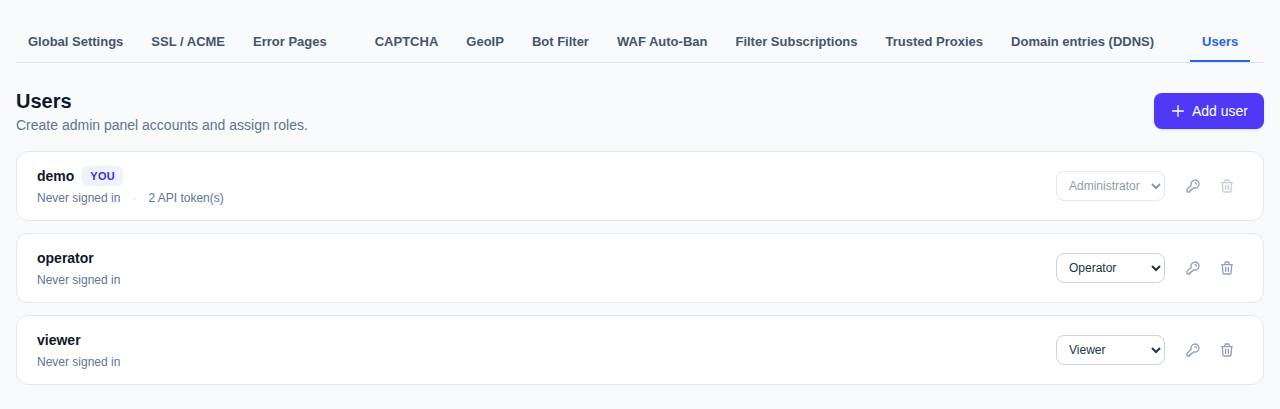
- Click Settings → Users → Add user.
- Enter a Username, Password and Role and save. The password needs at least 10 characters with upper and lower case, a digit and a symbol. Common passwords are refused.
- A new account must change its password on first login.
Clicking an account name opens User details: role, 2FA status, last login and its IP, active sessions, Effective permissions (what the account actually reaches, not the role's stored rows), the API tokens the account issued, and the linked SSO providers.
- Reset password: sets a new password, ends every session of that account and requires a change on next login.
- Email: used to link SSO identities. An account created without an email gets a placeholder address and a No SSO badge. Changing it to a real address lets the account sign in through SSO.
- Delete: the API tokens the account issued are deleted with it and stop working immediately. You cannot delete your own account.
Roles
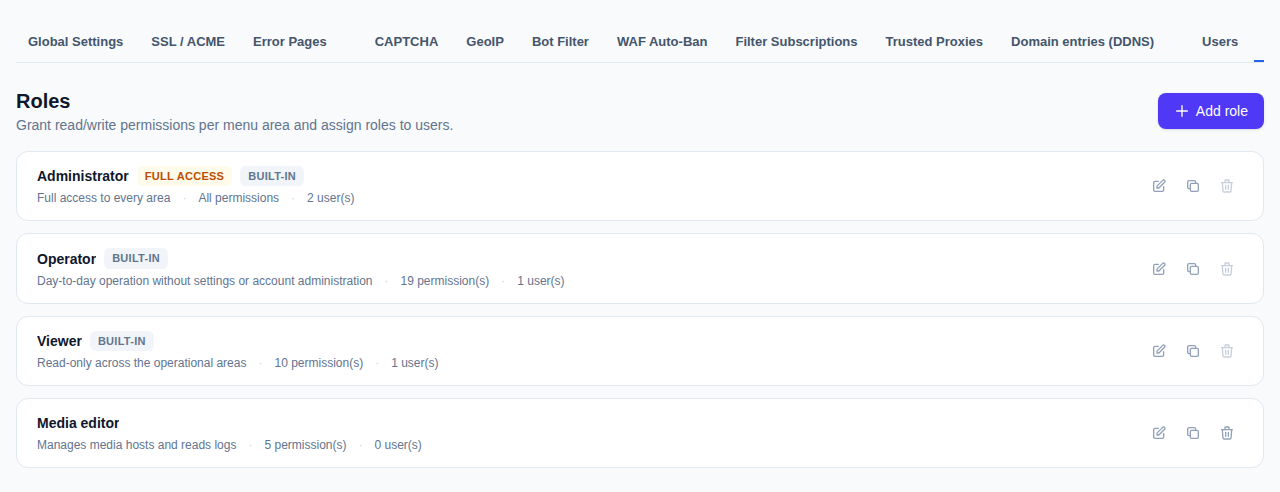
A role is a set of permissions per menu area. Three roles are built in.
| Role | Content |
|---|---|
| Administrator | Reaches every area, including areas added in future releases. |
| Operator | Day-to-day operation without settings or account administration. |
| Viewer | Read-only across the operational areas. |
Built-in roles cannot be edited or deleted. If you need something similar, use Duplicate into a new role and edit the copy, or start from scratch with Add role. A role with users assigned can be deleted only after those users are moved to another role.
| Menu area | Possible permissions | Operator | Viewer |
|---|---|---|---|
| Dashboard | Read | Read | Read |
| Proxy Hosts | Read, Write, Delete | Read, Write | Read |
| Redirects | Read, Write, Delete | Read, Write | Read |
| WAF / Blocking | Read, Write | Read, Write | Read |
| Access Control | Read, Write | Read, Write | Read |
| Auth Providers | Read, Write | Read, Write | Read |
| Certificates | Read, Write, Delete | Read, Write | Read |
| DNS Providers | Read, Write, Delete | Read, Write | Read |
| DDNS Records | Read, Write | Read, Write | Read |
| Logs | Read, Write | Read | Read |
| Audit Log | Read | none | none |
| Settings | Read, Write | none | none |
| Backups | Read, Create, Restore | Read | none |
| API Tokens | Read, Write | none | none |
| Users | Read, Write | none | none |
| Roles | Read, Write | none | none |
Within an area a permission includes the ones below it: Delete includes Write and Read, Write includes Read, Restore includes Create and Read. Menus without permission are hidden. Opening such a page by its address shows "You do not have permission to view this page", and attempting an action without permission shows "Your role does not allow this action. Ask an administrator to grant it."
Sign-in protection
- Five failed sign-ins for the same username from the same IP address within 15 minutes lock that combination out. A lockout can be sent as the Admin sign-in locked out notification.
- A sign-in session lasts 24 hours.
- Right after installation, the
admin/adminaccount cannot use anything else until its username and password have been changed. - Recovering a lost password or 2FA device is covered in Admin account recovery and 2FA.
Two-factor authentication
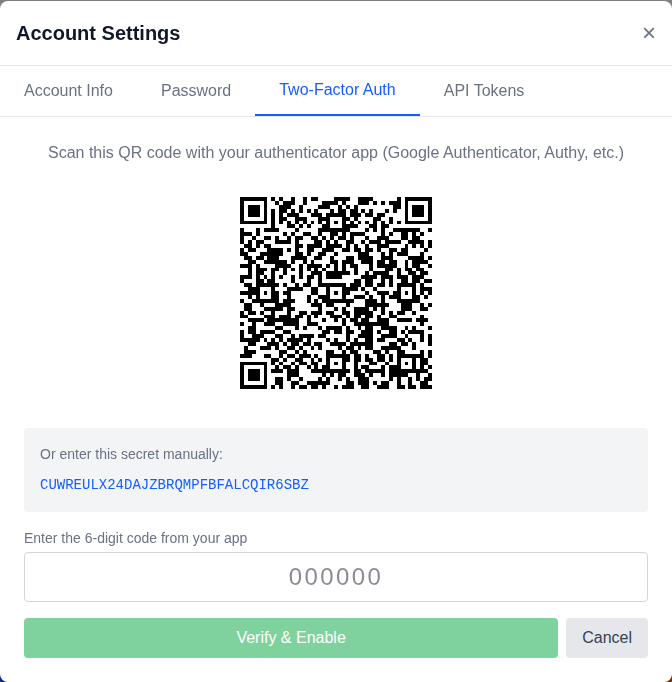
- Click your username at the top right to open Account Settings and go to the Two-Factor Auth tab.
- Click Enable 2FA and scan the QR code with an authenticator app (Google Authenticator, Authy and others). If you cannot scan it, type in the secret shown.
- Enter the 6-digit code from the app and click Verify & Enable.
- Store the backup codes that appear somewhere safe. They replace the 6-digit code if you lose the device.
To turn it off, enter your password and a current code (or a backup code) on the same tab and click Disable 2FA.
API tokens
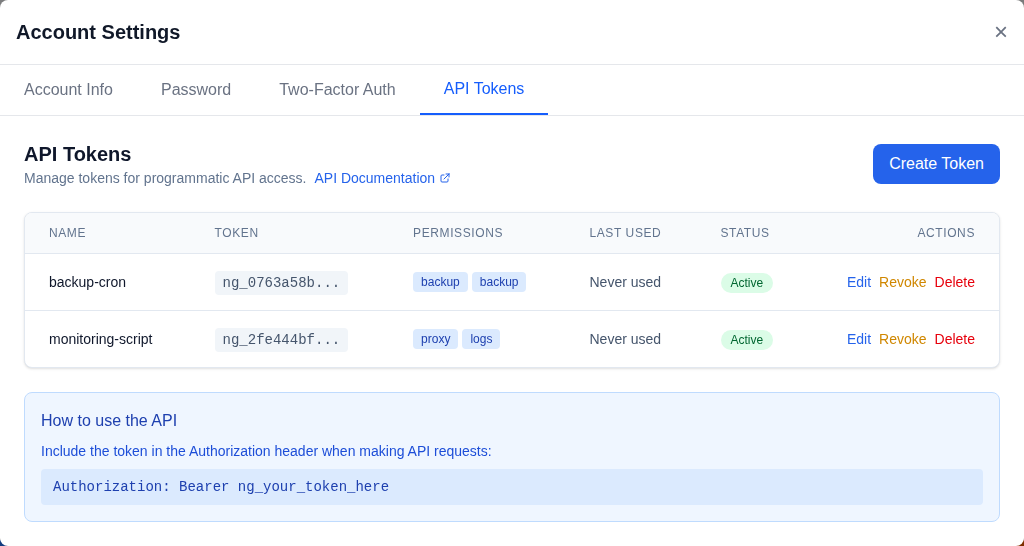
API tokens let scripts and other programs use the NPG API. Create one in Account Settings → API Tokens → Create Token.
| Field | Description |
|---|---|
| Token Name | A name to tell tokens apart |
| Permission Groups / Individual Permissions | Choose Read Only, Operator or Full Access, or pick permissions one by one. |
| Allowed IPs (Optional) | Comma separated. Empty allows every IP. |
| Expires In | 7 Days, 30 Days, 90 Days, 1 Year, Never |
The token is shown only once, right after it is created. A token cannot have more permissions than the role of the person who issued it, and if that role is narrowed later, the token narrows with it. Token use is recorded in Logs → Admin Audit → API Token Usage. Usage and examples are in API.
SSO
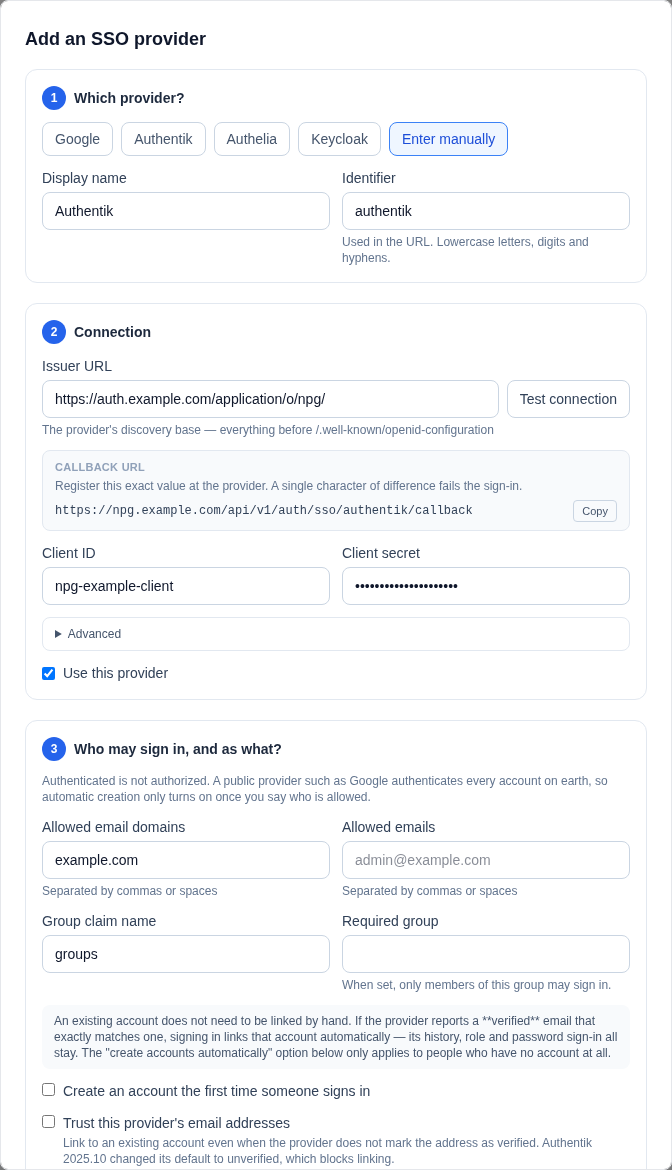
Adding an OpenID Connect provider in Settings → SSO puts a button for it on the sign-in screen. There are guided presets for Google, Authentik, Authelia and Keycloak; other providers are added with Enter manually.
- Password sign-in always stays available, even with SSO set up. NPG often proxies the SSO provider itself, and this keeps you from being locked out of the panel when the provider is down.
- To create accounts automatically for people signing in the first time, at least one of allowed email domains, allowed emails or a required group must be set.
- With Group to role mappings, the role is recalculated from the provider's groups at every sign-in. Without mappings, the role is set once when the account is created.
- Existing accounts are linked by email address.
Provider-specific steps and problems linking existing accounts are covered in Signing in with SSO.
Backups
Backups contain roles and SSO providers, but not user accounts, role assignments, API tokens or SSO identity links. After a restore, recreate the accounts and assign their roles again.